1. Home
  2. Products
  3. OneCloud
ServiceNow Store application

Multi and hybrid cloud self-service and governance on ServiceNow

OneCloud lets your people order, run and change cloud services across AWS, Azure, Google Cloud and Oracle Cloud from ServiceNow, under the approvals, change requests and policies you already use. Everyone sees the cost before and after, and every resource stays on record from the day it's built to the day it's removed.

OneCloud by Intelibliss OneCloud by Intelibliss
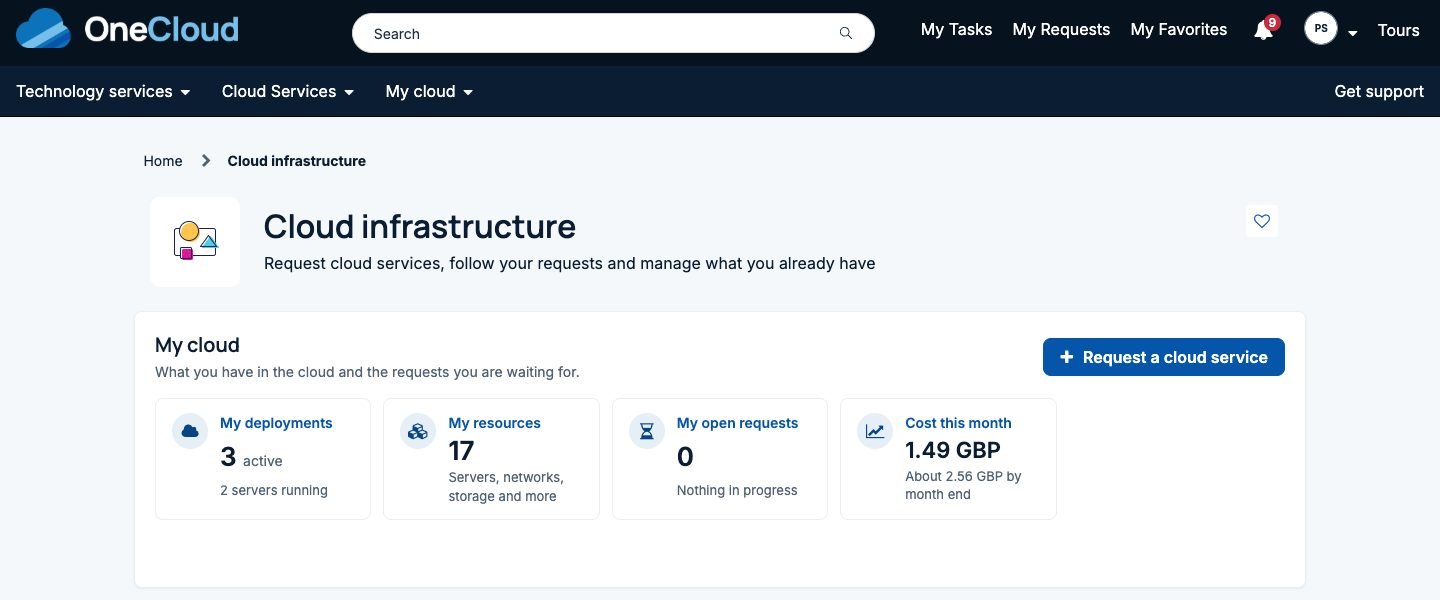
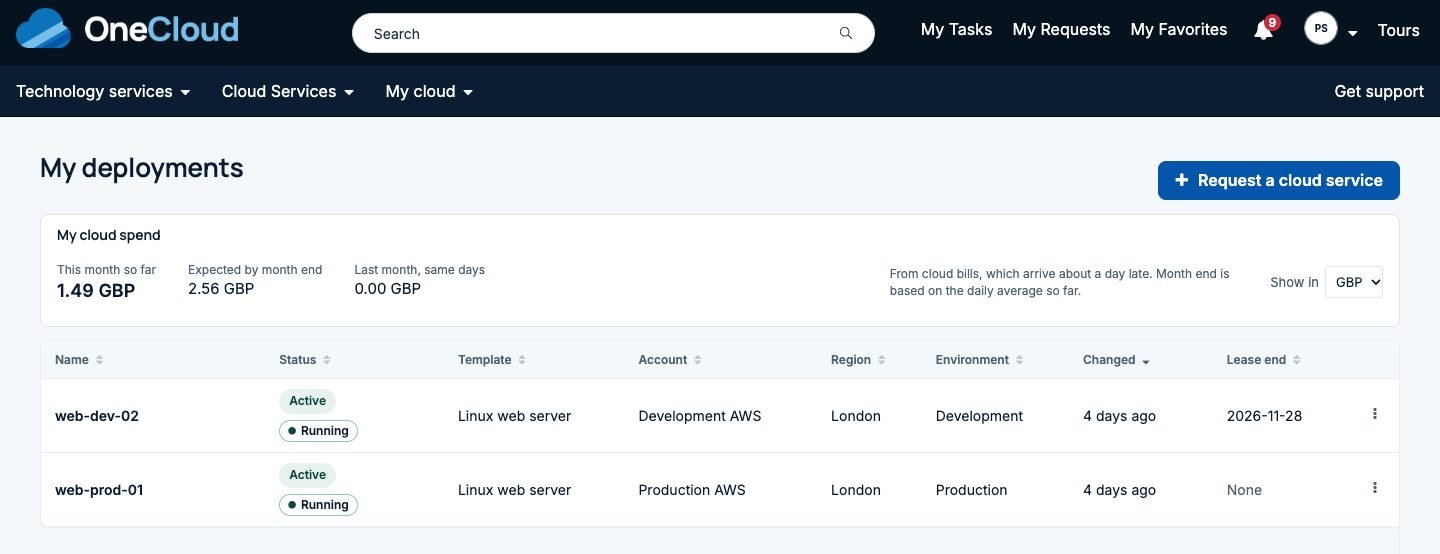
The single pane of glass: My cloud showing deployments active and servers running, resources, open requests and cost this month across clouds
My cloud: everything a person owns, on every cloud
Runs on
  • Amazon Web Services
  • Microsoft Azure
  • Google Cloud
  • Oracle Cloud
  • AKS, EKS, GKE and OKE
  • Amazon ECS and Azure Container Instances
Built on ServiceNow
  • Service Catalog
  • Employee Center
  • Flow Designer
  • Change
  • CMDB and IRE
  • Discovery
  • MID Server
Single pane of glass

One place to see and manage every cloud

Most companies now run more than one cloud, and each one comes with its own console, its own request route and its own idea of who's allowed to do what. Nobody has one view of what's running, who asked for it, what state it's in or what it costs.

OneCloud gives you that view in ServiceNow. Every deployment, resource, request and cost across all your clouds and accounts sits in one place, filtered by cloud, account, region, environment, owner group or customer. It's a scoped Store application that uses the platform as it is and ships its own catalog category, topics and records instead of touching yours.

RequestersMy cloud shows what they own, what it costs this month, what's waiting for them and what needs attention.
OperatorsThe OneCloud Workspace shows every run, deployment, template and policy, with retry, cancel, override and drift checks.
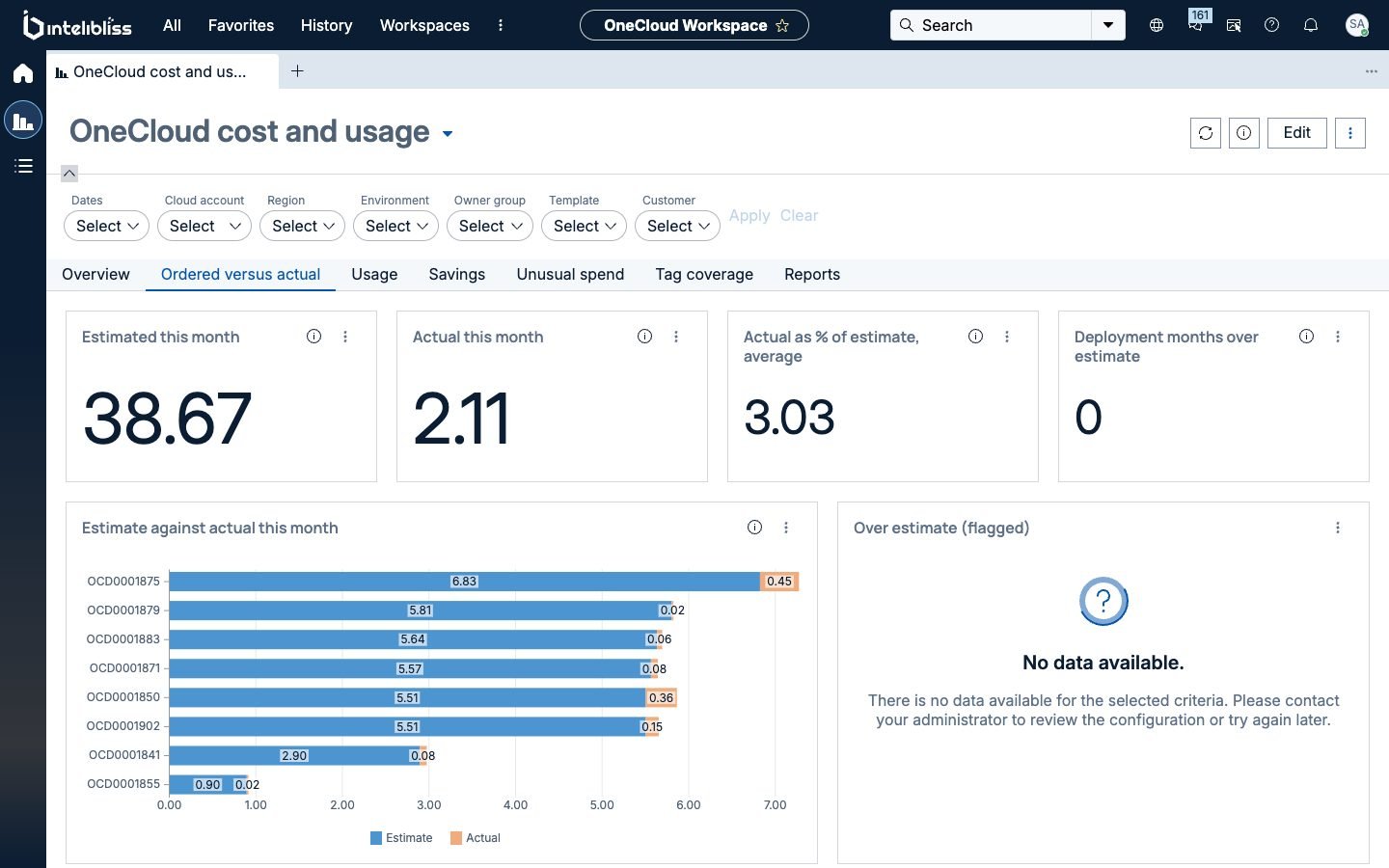
FinanceCost and usage puts the estimate made at order time next to what was actually spent, by cloud, account and team.
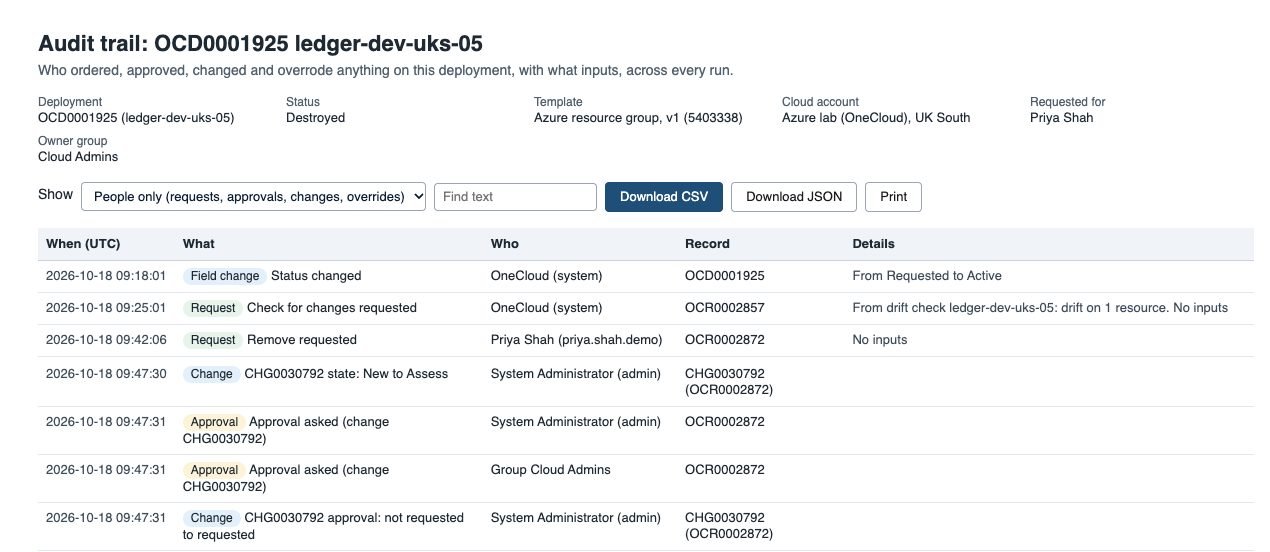
AuditorsOne trail per deployment: who asked, who approved, which change covered it and what was done.
Day 1 and day 2, for requesters

Build it, run it and change it, all under policy

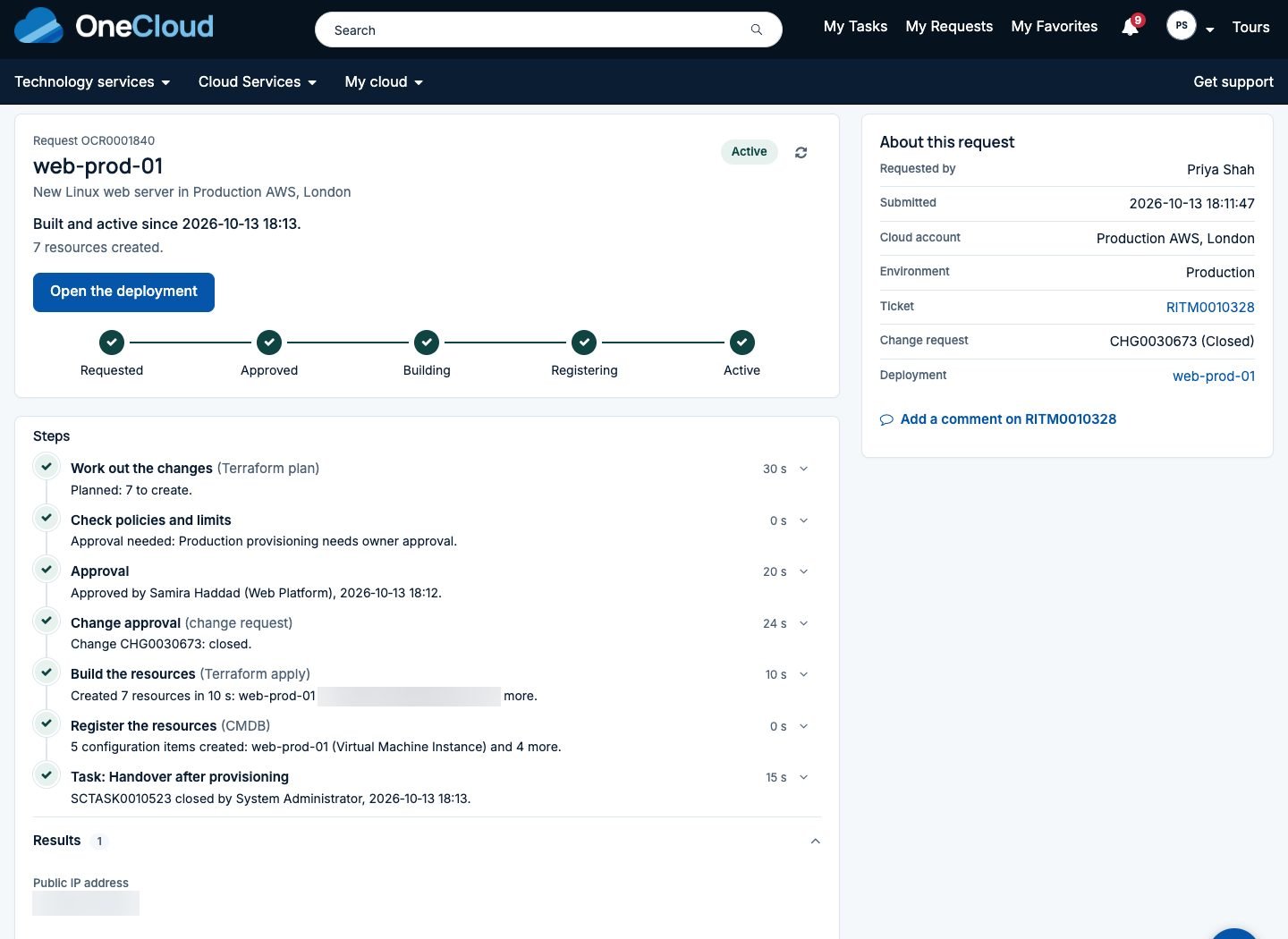
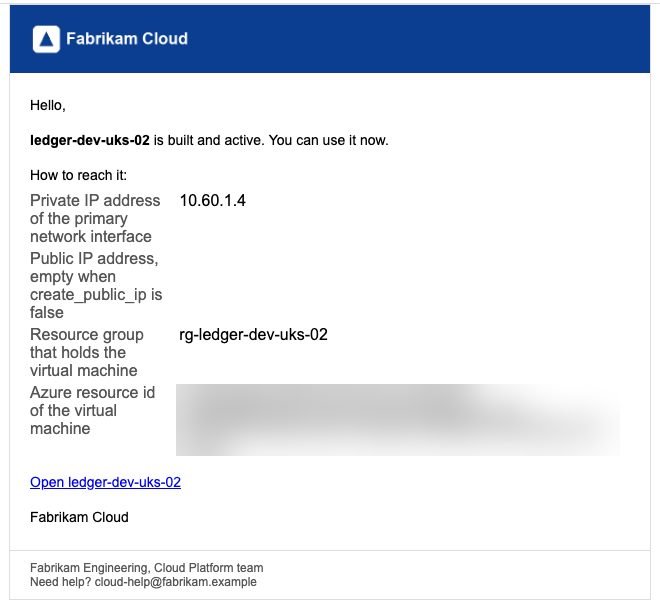
People order from the portal they already use, such as Employee Center. They pick a cloud account, a size and an owner group on a short form, with their own networks in pick lists and the monthly price in view. OneCloud works out exactly what will be built, checks it, asks for approval and a change where your rules say so, builds it, records it in the CMDB and tells them it's ready.

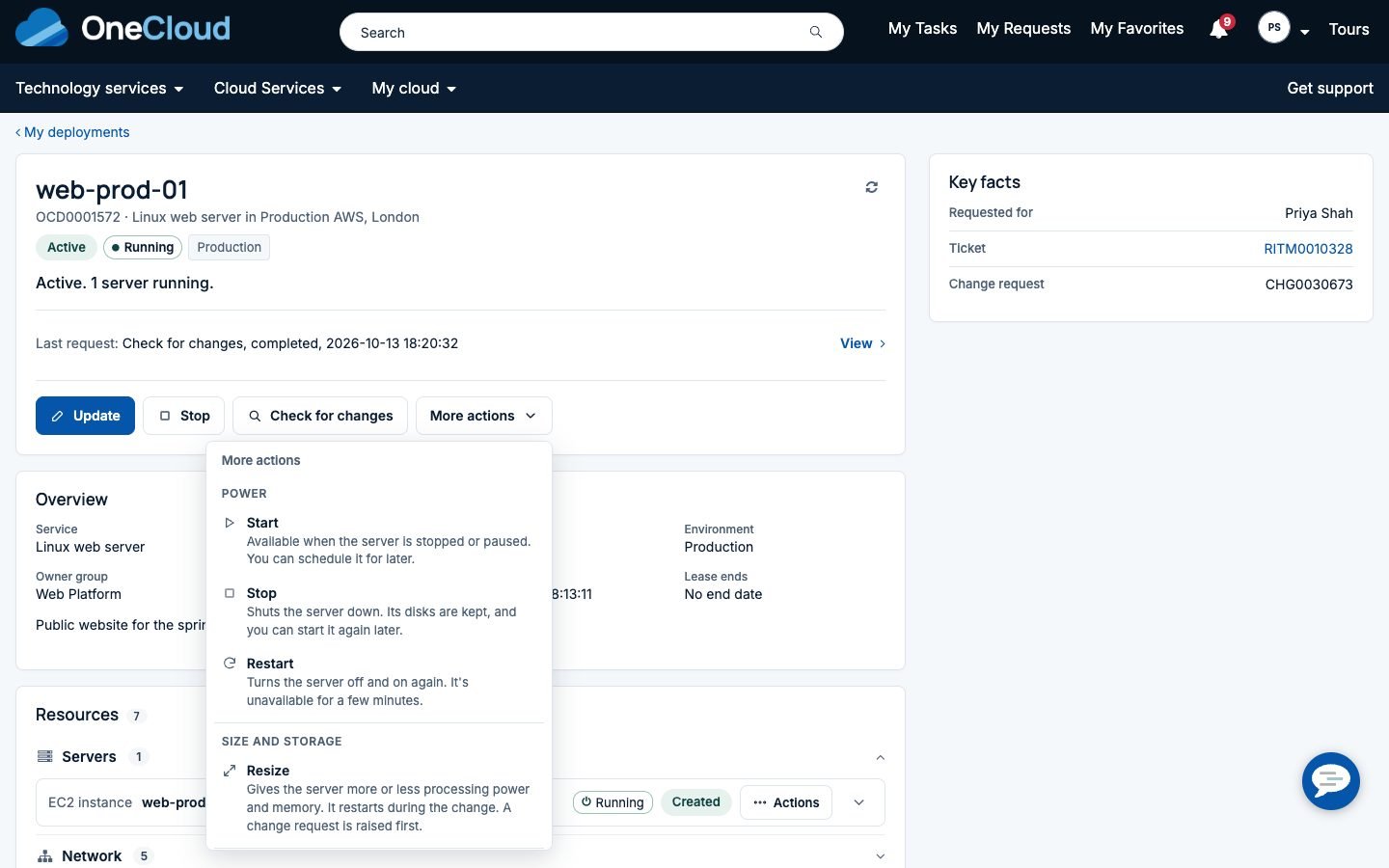
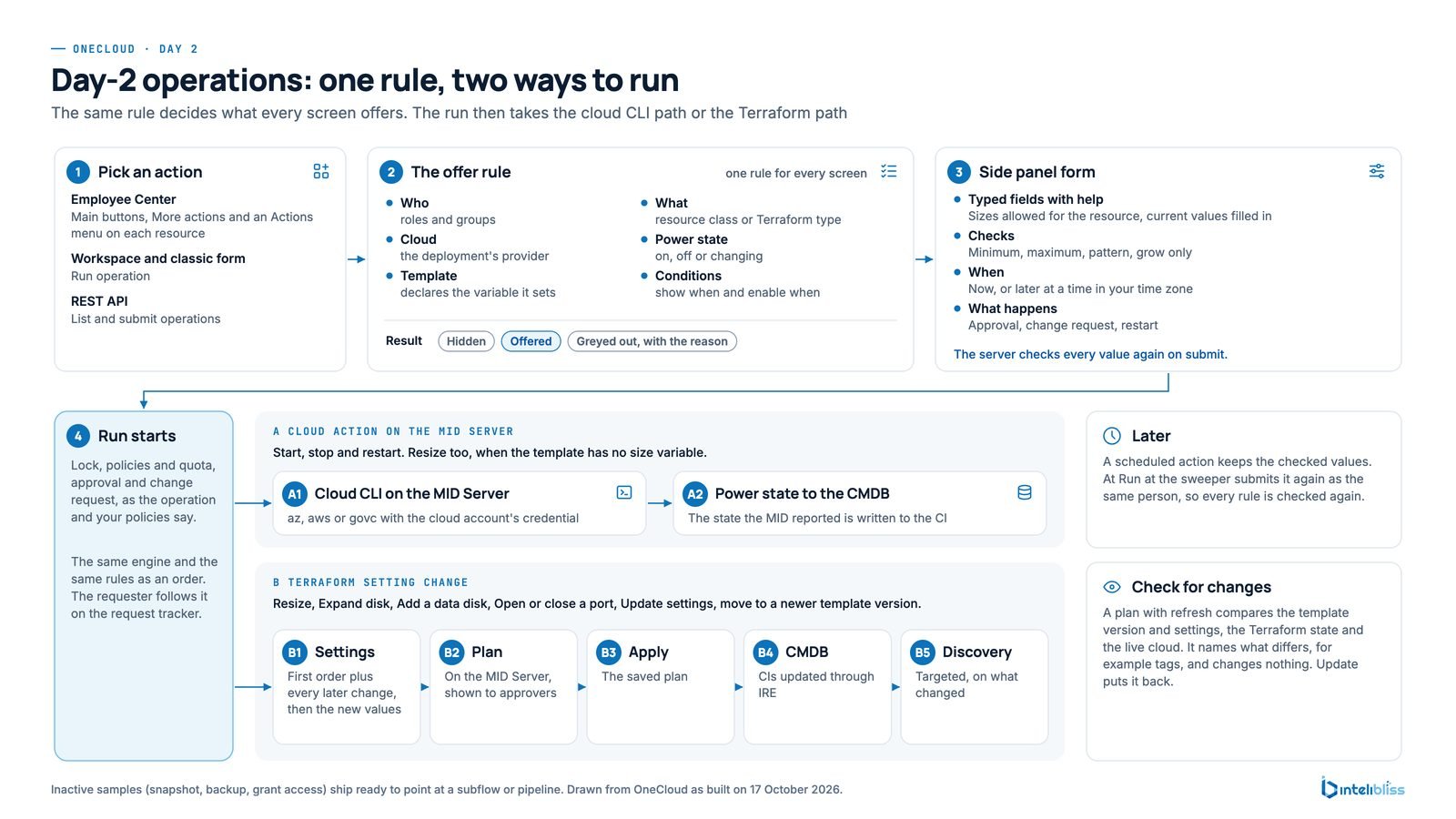
Afterwards each deployment offers the actions that fit it, per server or for the whole deployment, now or at a time they pick. Operators get the same actions in the workspace, and integrations get them through the REST API.

Start, stop and restartResizeExpand a diskAdd a data diskOpen or close a portBusiness hours schedulesRun now or laterSet or extend a leaseUpdate settingsUpdate to a newer versionCheck for changesRemoveScale a node poolUpgrade KubernetesFix tags
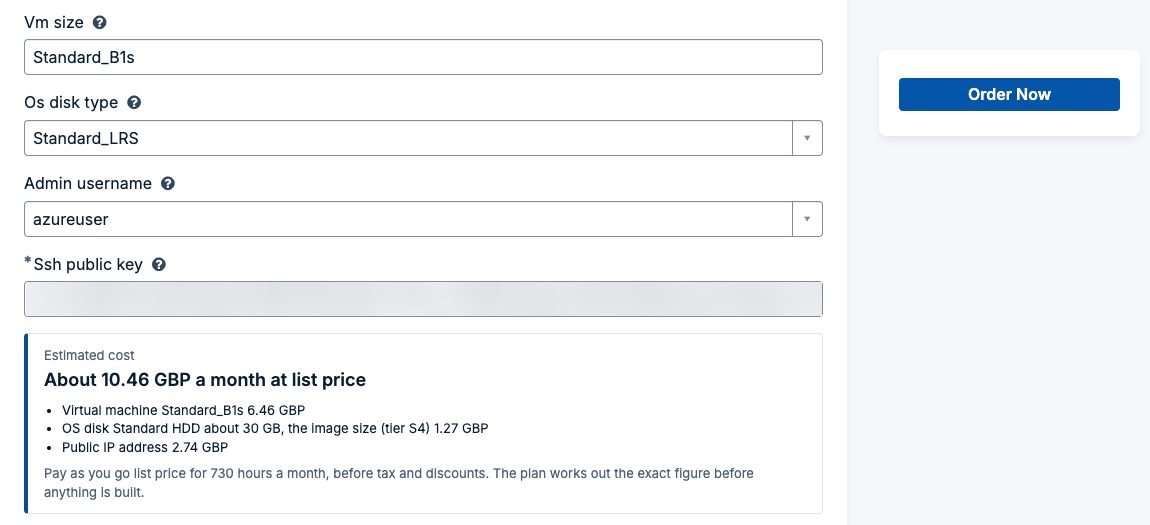
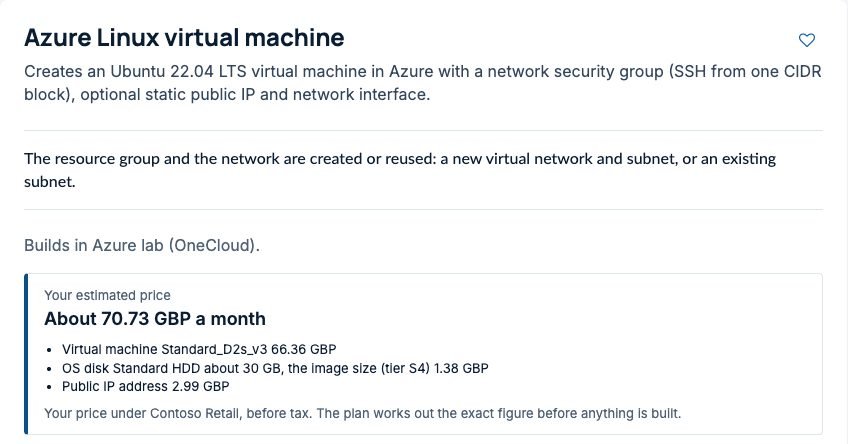
  • The bottom of an Azure order form: VM size, OS disk type and admin user name, then the estimated cost of about 10.46 GBP a month at list price, split into the virtual machine, its OS disk and a public IP address, next to Order Now

01Order: a short form with the monthly price in view

How it works

The same steps for every order and every change

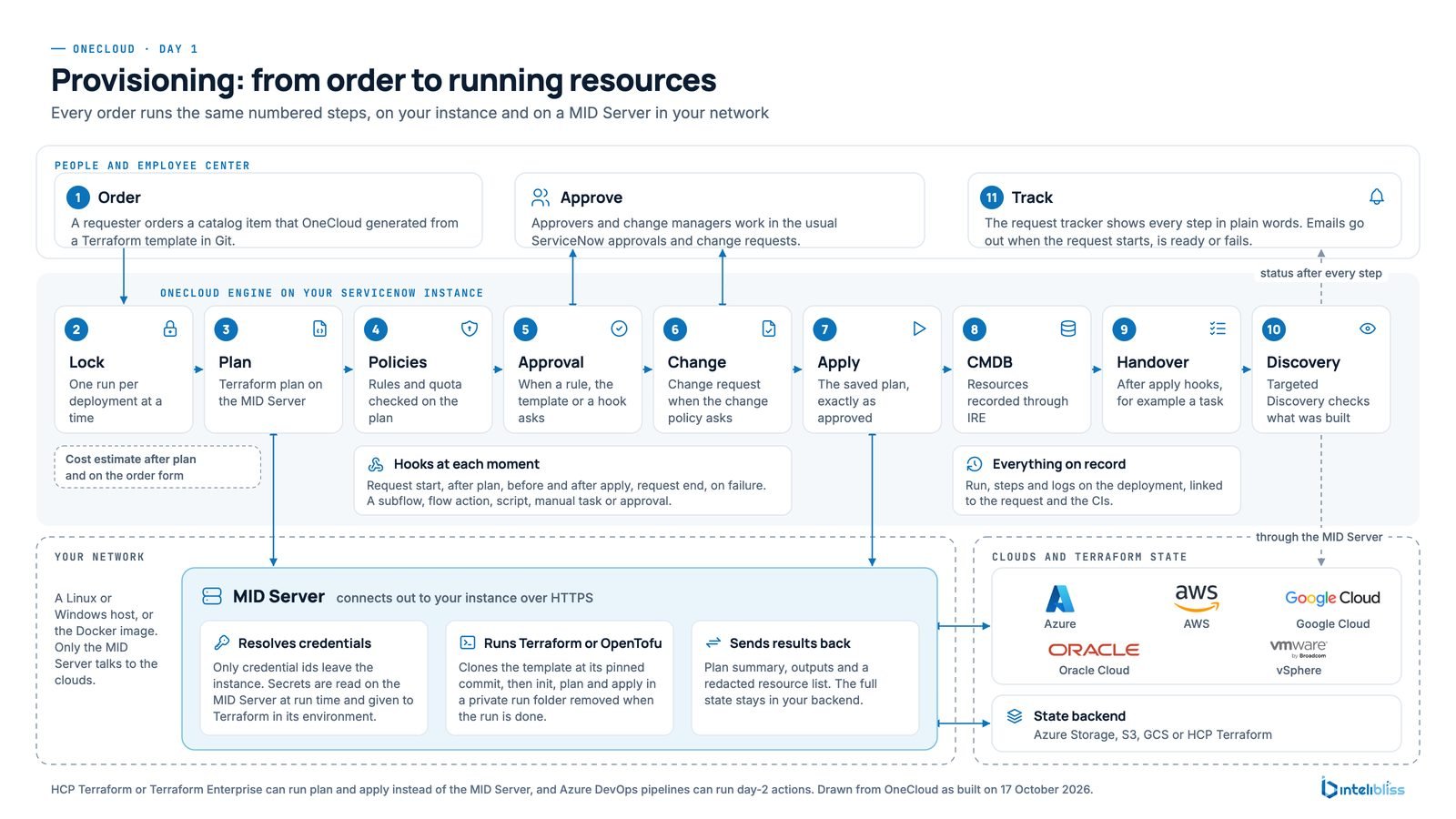
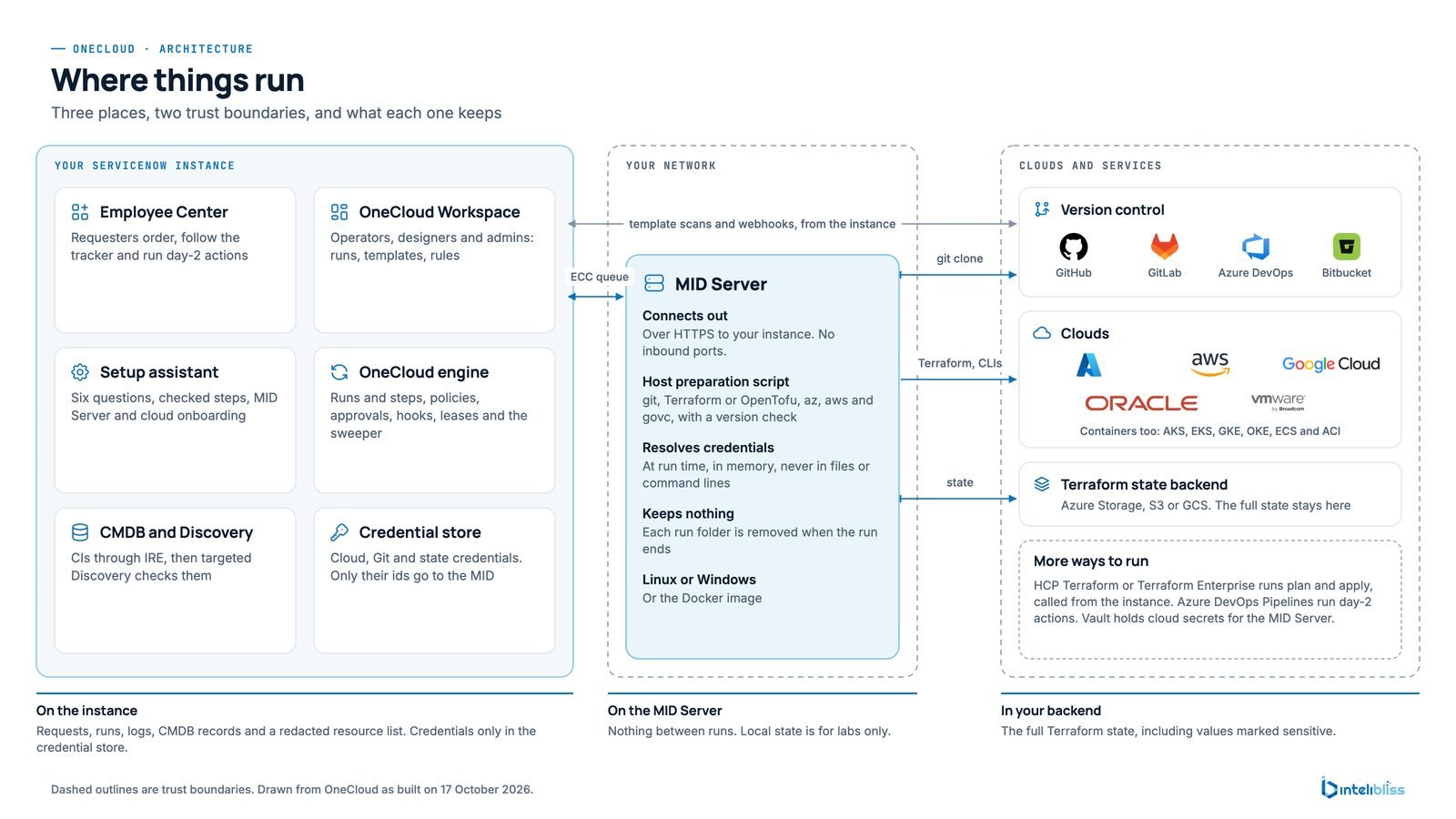
ServiceNow keeps the request, the approval, the change and the record. A MID Server in your own network does the work in the cloud, connecting out to your instance with no inbound ports.

OneCloud day 1 flow: a requester orders, OneCloud on the ServiceNow instance runs lock, plan, policies, approval, change, apply, CMDB, handover and discovery, and a MID Server in the customer network runs the build against Azure, AWS, Google Cloud, Oracle Cloud and the state backend
Every order runs the same steps, on every cloud
Governance, for operators

Fast for the right request, firm for the wrong one

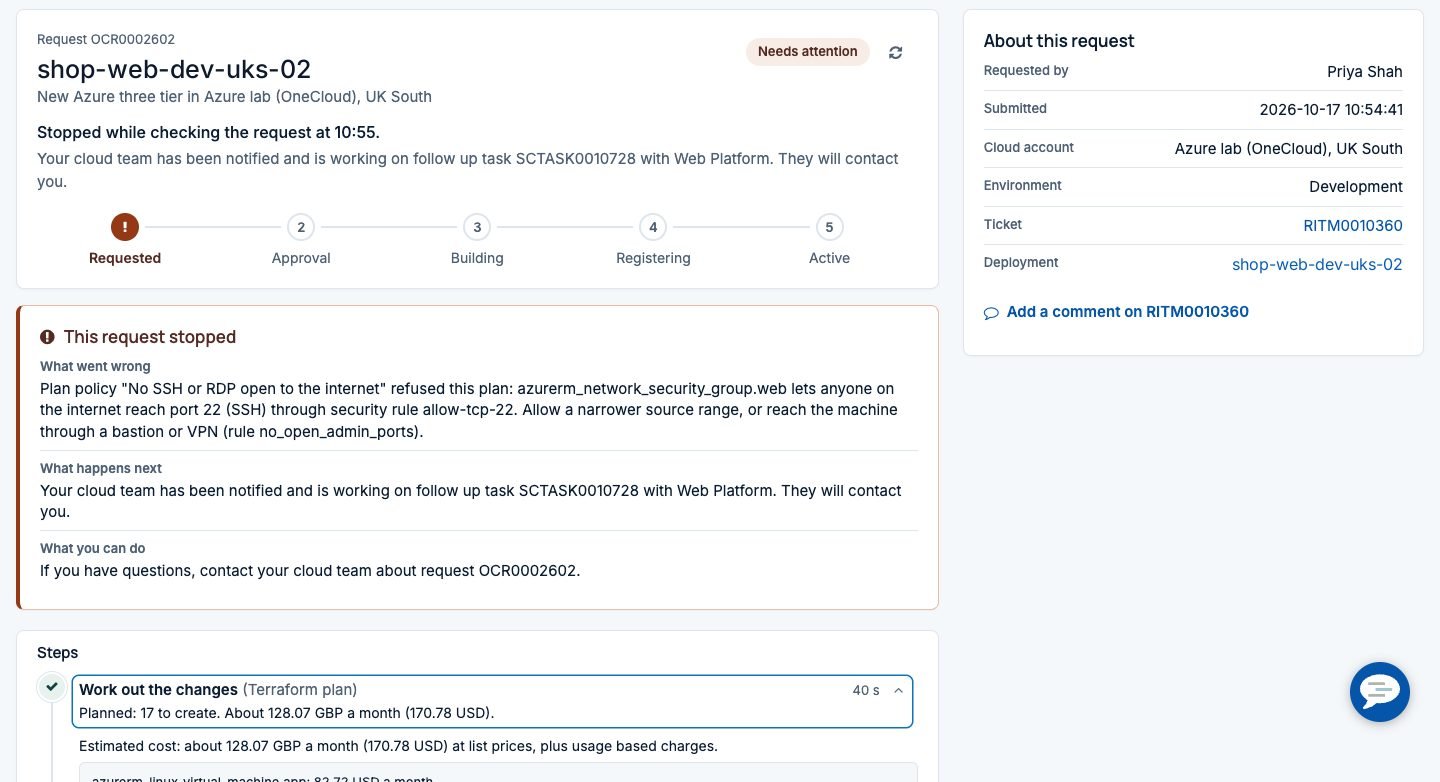
Rules run before anyone is asked to approve, so a compliant development server goes straight through and a risky change stops with a reason. How OneCloud governs without slowing people down.

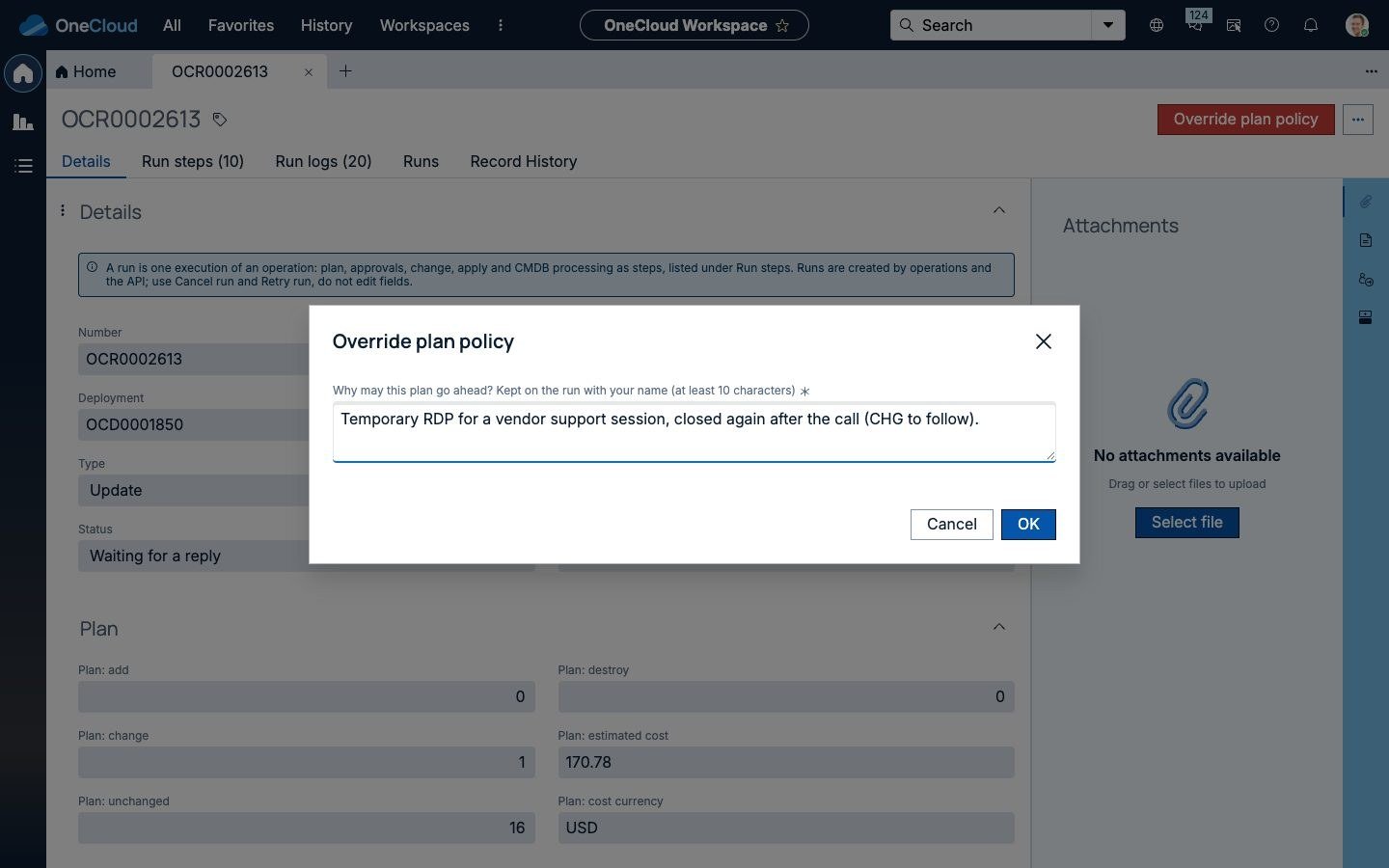
  • Policy as code. Rego policies in Open Policy Agent deny, warn, or hold for an administrator override with a reason. If a policy can't be checked, the run doesn't go ahead.
  • Approvals and Change. Your normal ServiceNow approvals and change requests, with the price and any policy findings in front of the approver.
  • Price limits and separation of duties. An order above a monthly price waits for approval, and nobody approves their own request.
  • Quotas, leases, tags and drift. Quotas per group or account, leases with reminders, required tags with a Fix tags action, and a nightly drift check that tells the owner group what changed outside OneCloud.
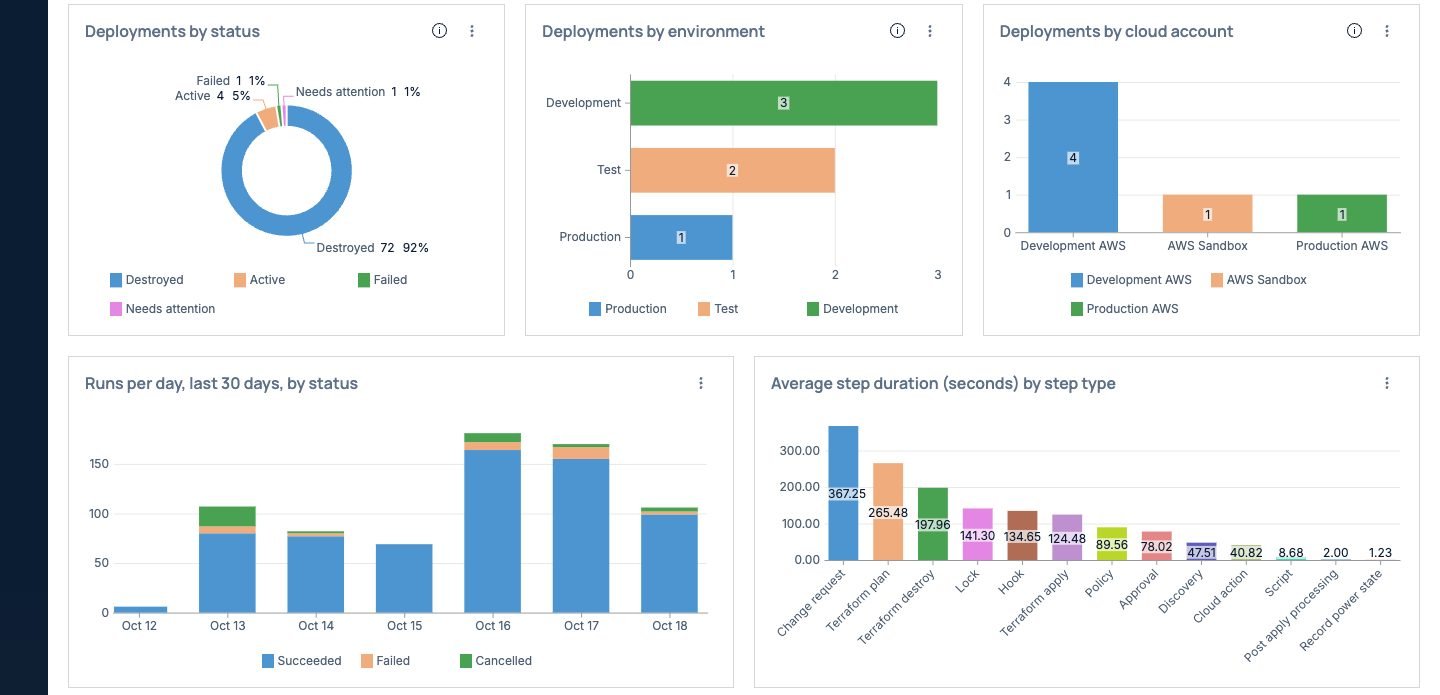
  • OneCloud Workspace overview charts across every cloud: deployments by status, by environment and by cloud account, runs per day by status and average step duration by step type

01The whole estate across clouds and accounts

Pricing and cost, for finance

People see the price before they order

Before. OneCloud keeps a price book of the clouds' published list prices, loaded in the background for the regions you use, so the order form never waits on a cloud API. Before approval the exact resources are priced again, and approvers see that figure.

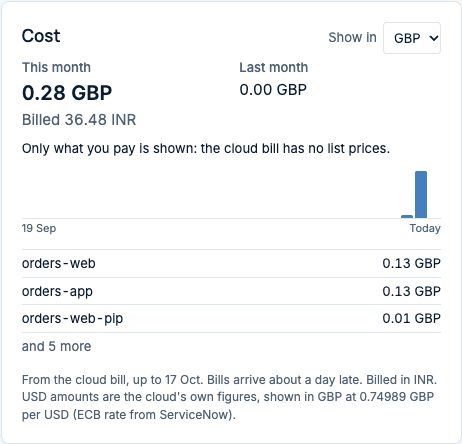
After. Once a deployment runs, OneCloud reads its cost from the cloud's own cost data, matched by the tag it puts on every resource. Each deployment gets a cost card, each requester sees their spend in My cloud, and everyone sees amounts in their own currency.

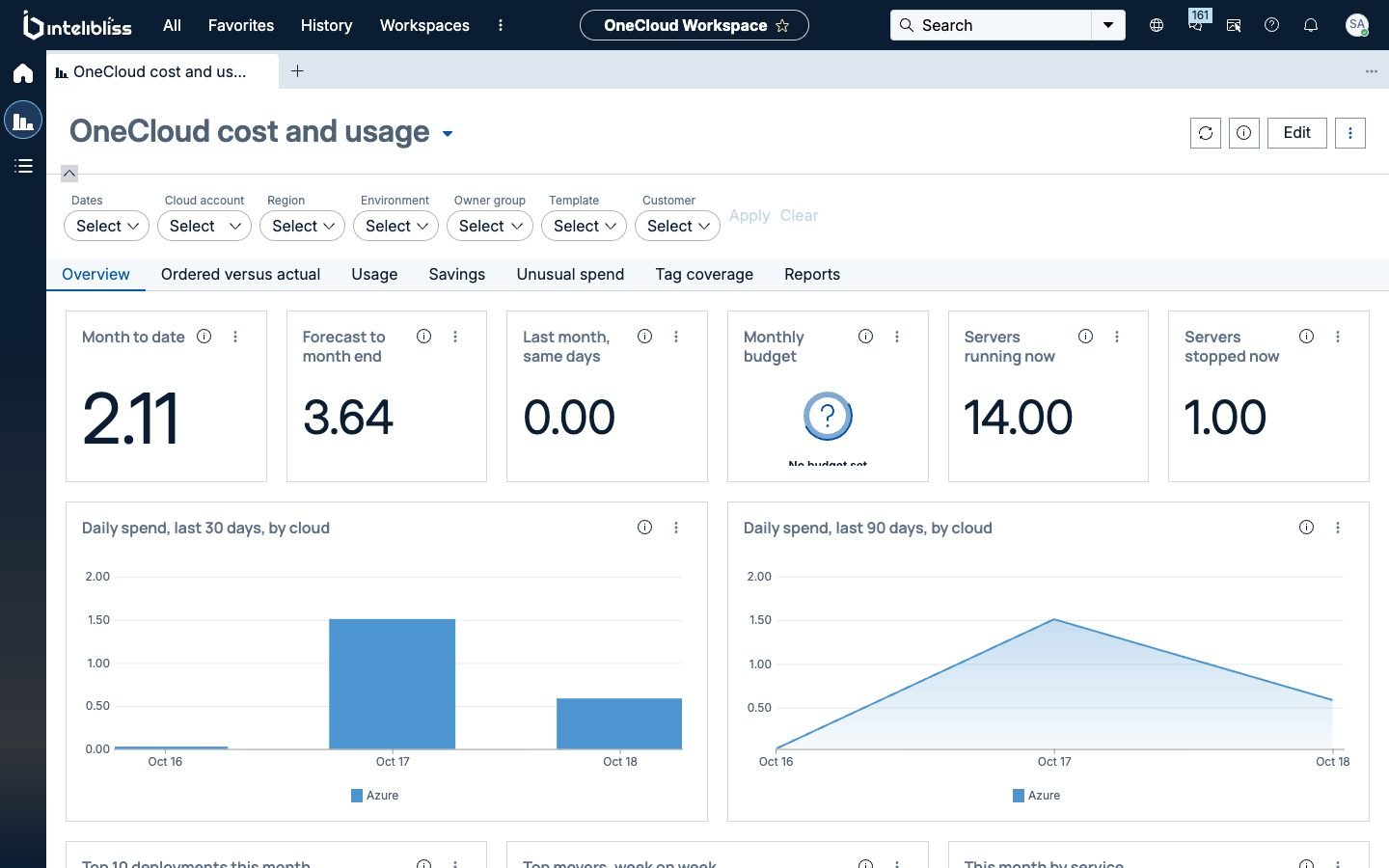
Ordered versus actual. Cost and usage shows month to date and forecast, spend by cloud, the estimate next to what was spent, hours saved by schedules, saving opportunities, unusual spend and tag coverage. How cost works.

  • OneCloud cost and usage overview in the workspace: month to date, forecast to month end, last month, monthly budget, servers running and stopped, and daily spend by cloud over 30 and 90 days, with filters for dates, cloud account, region, environment, owner group, template and customer

01Cost and usage: month to date, forecast and spend by cloud

MSP ready

Many customers, one instance, each with its own price and brand

Works with or without domain separation. Single company customers never see any of it. OneCloud for MSPs.

Customers kept apartOwn cloud accounts, connections and state. Each customer's people see only their own deployments, costs and audit trail.
Price plansMarkups, discounts, fees, exchange rates and contracted prices, shown on the order form and the approval.
Rated and reconciledThe month rated from the real cloud bill, reconciled against what the clouds charged and exported to your invoicing system.
Your customer's brandEmails with each customer's logo, colours and sign-off, and a Teams or Slack channel per customer.

See it on your own clouds. A short demo with your accounts, your approval rules and your CMDB.

Request a demo
On record, from build to removal

Nothing built that ServiceNow doesn't know about

CMDB and Discovery

Every resource is written to the CMDB through the Identification and Reconciliation Engine, in the standard classes and related to its region. Where you run ITOM Discovery, a targeted discovery confirms it straight after the build. On removal every configuration item is retired, so nothing is left behind.

Full audit trail

One trail per deployment or run: who ordered it with which inputs, which policies passed or were overridden, who approved, which change covered it and what was done in the cloud. Print it or export CSV or JSON. Secret values never appear in it.

Catalog items created for you

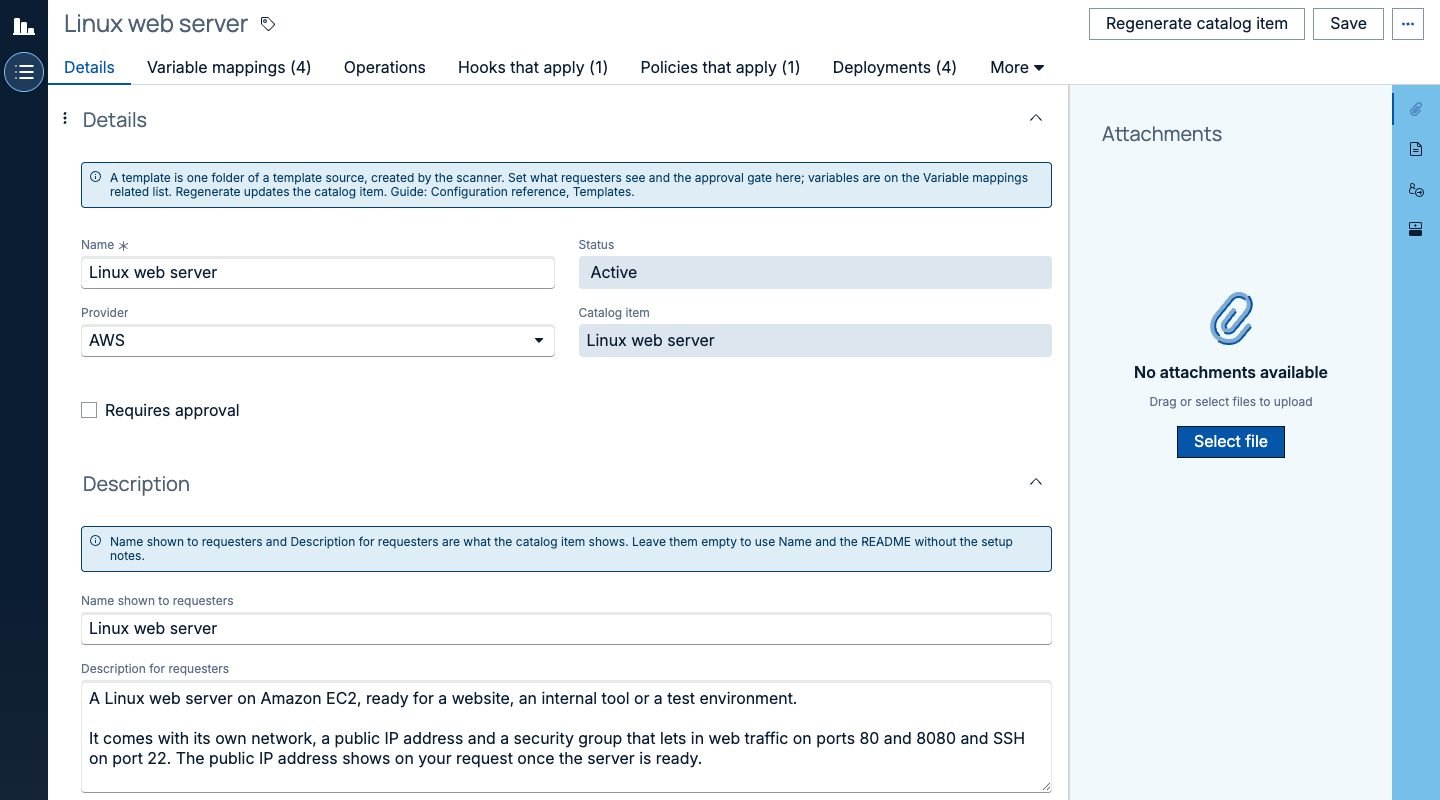
Point OneCloud at a folder in GitHub, GitLab, Azure DevOps or Bitbucket and it creates a catalog item per template, with questions, sections and pick lists. It looks after the state, and a template change becomes a pull request your team reviews. How it works.

The engine underneath

Terraform, the way you already run it

OneCloud uses Terraform to build and change resources, so your infrastructure code stays the source of truth.

Open source TerraformTerraform or OpenTofu on a Linux or Windows MID Server in your own network.
HCP Terraform and Terraform EnterpriseRun plans and applies there instead of on the MID Server.
Azure DevOps pipelinesDay 2 actions can run as your existing pipelines, with OneCloud keeping the request, approval and record.
Credentials stay in your networkIn the platform's credential store or HashiCorp Vault, read on the MID Server for one run, never written to logs or tables.
Many accountsMore AWS accounts, Azure subscriptions, Google Cloud projects or Oracle Cloud compartments, each with its own credential, state and nightly health check.
Hybrid by designThe MID Server sits next to the rest of your estate, so cloud and on-premises work go through the same front door.

Easy to install

A guided setup from install to a first order

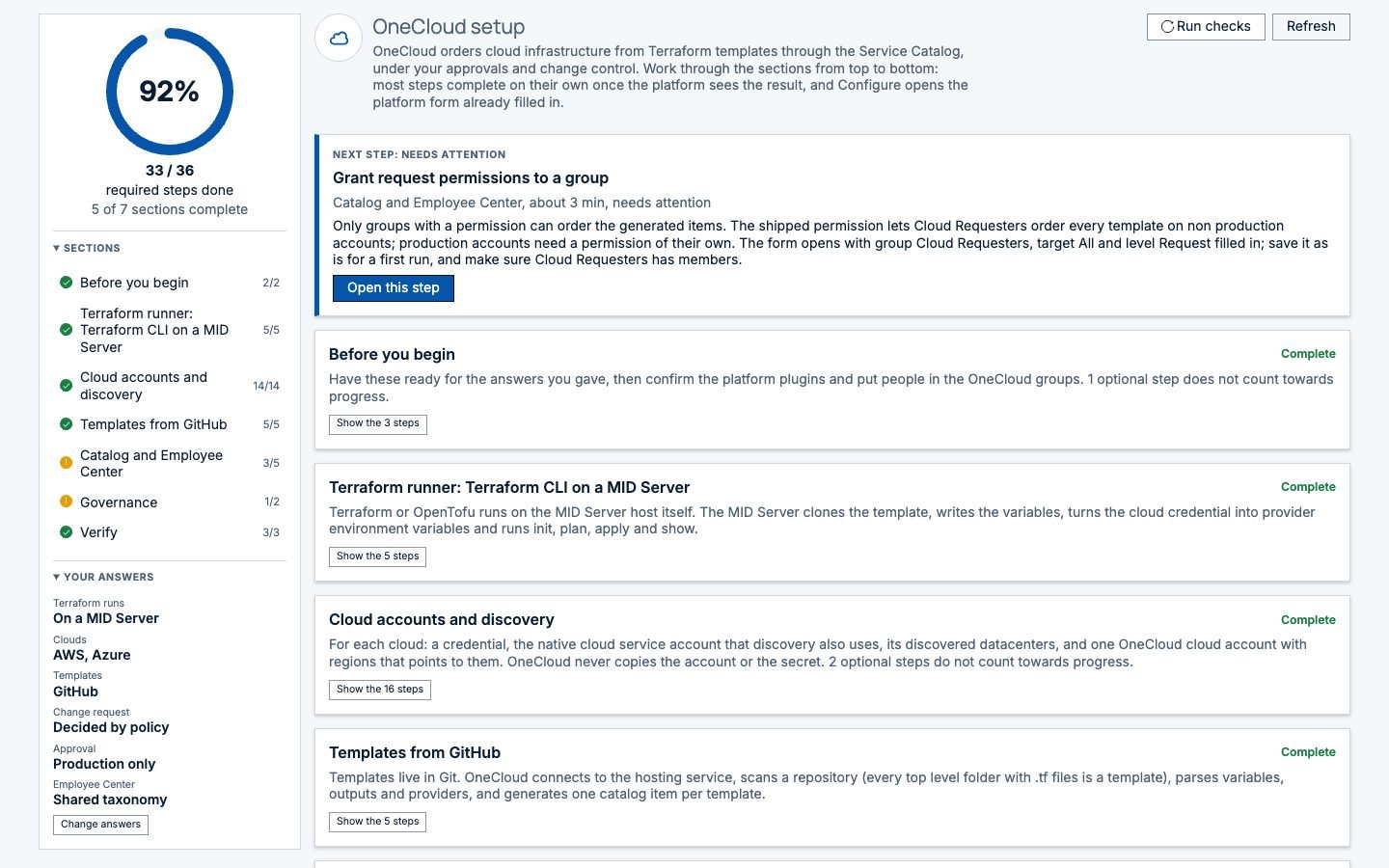
The setup assistant opens each form already filled in and ticks steps off when it sees them done. Manual steps are kept to the ones the platform or your network needs.

Answer six questionsWhere it runs, which clouds, where templates live, how change and approval should work.
Prepare the MID ServerInstall a standard MID Server and run one host preparation script.
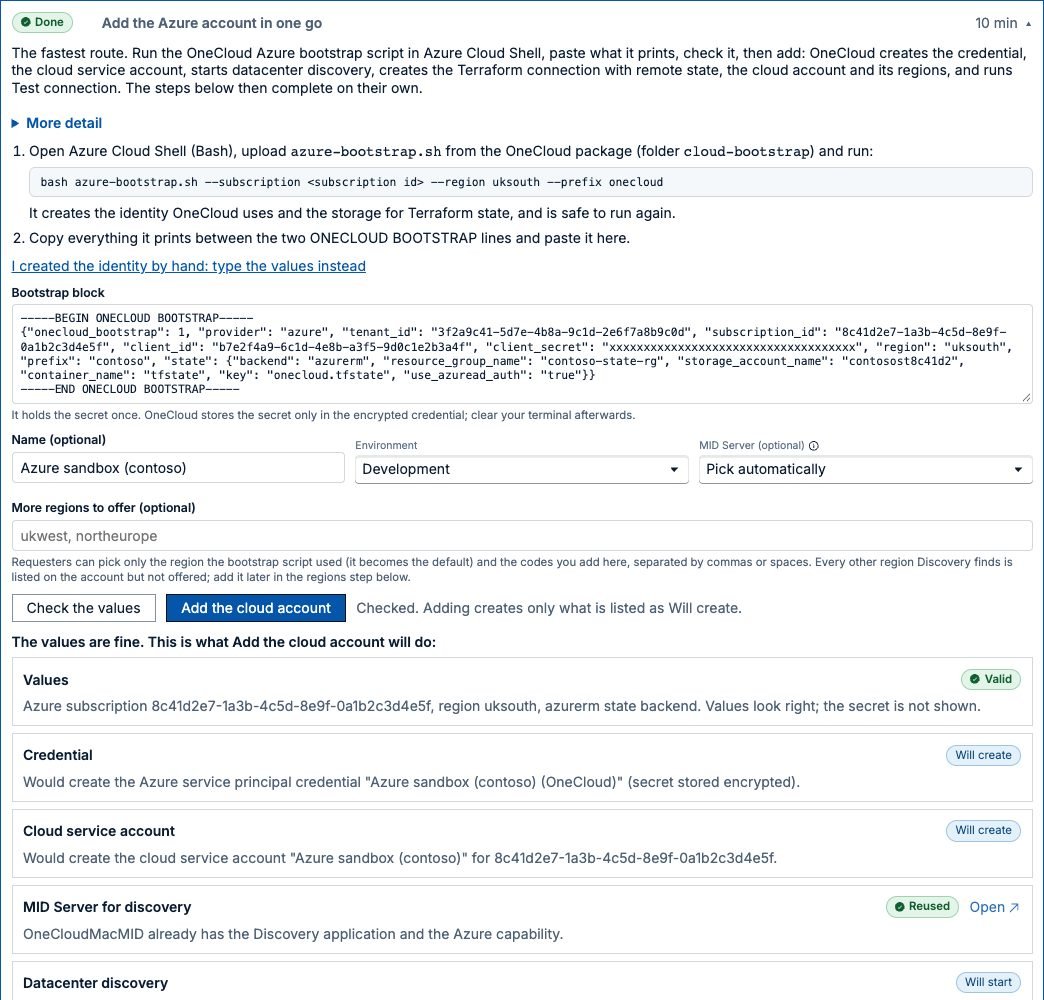
Add a cloud accountRun the bootstrap script in the cloud's shell and paste what it prints. OneCloud creates and tests the rest.
Order the first itemPoint OneCloud at your templates, order one and watch it arrive in the CMDB.
The Add the Azure account in one go step: a pasted bootstrap block with example values and the secret masked, and a list of what will be created: credential, cloud service account, datacenter discovery, connection, cloud account, regions and a connection test
Adding a cloud account in one go (example values)
Migration from CPG and Cloud Services Catalog

A supported place to land, on the same platform

ServiceNow is preparing Cloud Provisioning and Governance and Cloud Services Catalog for deprecation. OneCloud keeps everything in ServiceNow: the same catalog, approvals and Change, the same CMDB, and your templates as they are. It has no runtime dependency on either product.

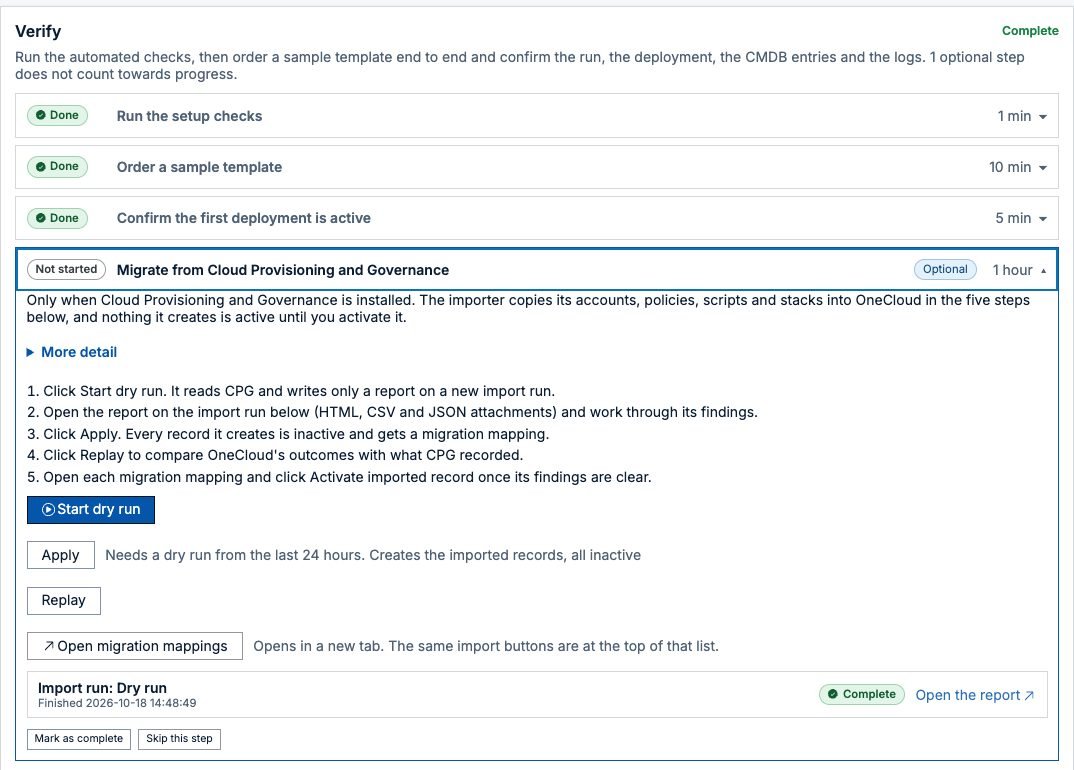
The importer starts with a dry run that only writes a report. You then bring across everything or one part at a time, all switched off until you turn it on. Replay runs past CPG decisions through the imported policies, running stacks are adopted with their state, and CPG keeps running until the last one has moved. Read how the move works, or see our CPG and CSC replacement service.

The Migrate from Cloud Provisioning and Governance step in the OneCloud setup assistant: start a dry run, read the report, apply with every record inactive, replay past decisions and activate each imported record, with a completed dry run listed below
The CPG import: dry run, apply, replay
FAQ

Questions we get asked

What is OneCloud?

OneCloud is a ServiceNow Store application for multi and hybrid cloud self-service and governance. It gives you one place to order, track and manage cloud services across AWS, Azure, Google Cloud and Oracle Cloud, with requesters working in the Employee Center they already use. Every order and every change after it runs under the approvals, change requests and policies you already use in ServiceNow, the cost is shown before and after, and every resource is recorded in the CMDB.

Which clouds does it support?

Microsoft Azure, AWS, Google Cloud and Oracle Cloud, with the same features on each. Containers are covered too: AKS, EKS, GKE, OKE, Amazon ECS and Azure Container Instances, with actions that fit them, such as scaling a node pool or upgrading Kubernetes.

What can people do after something is built?

Start, stop and restart servers, resize them, add or expand disks, open or close ports, set business hours schedules, extend a lease, update to a newer version of the template and remove the deployment. Each action follows the approval and change rules the process owner sets.

How do people see what something will cost?

The order form shows a monthly estimate at list prices as the requester picks a size, from a price book OneCloud keeps up to date in the background, so ordering never waits on a cloud API. The plan is priced again before approval. Once a deployment runs, OneCloud reads its actual cost from the cloud's own cost data and shows it on the deployment, in My cloud and in the Cost and usage dashboards, in each person's own currency.

Can we enforce our own rules before anything is built?

Yes. Policies written in Rego run in Open Policy Agent before anyone is asked to approve. A rule can stop the request, warn, or stop it until an administrator overrides it with a reason that is kept on the record. Price limits hold an order above a monthly amount for approval, and nobody can approve their own request.

We are a managed service provider. Does it work for us?

Yes. Each customer gets its own cloud accounts, catalogue and view, with or without domain separation. Price plans, contracted prices and price limits put the customer's price on the order form and the approval, the month is rated against the real cloud bill and reconciled, and the result exports to your invoicing system. Emails, Teams and Slack messages are branded per customer. Single company customers never see any of this.

Does it need ITOM Discovery?

It works with or without it. OneCloud records every resource it builds in the CMDB through IRE. Where you run Discovery, OneCloud starts a targeted discovery after each build so the new resources are confirmed by the platform as well.

What runs underneath?

Terraform. Open source Terraform or OpenTofu on a MID Server in your own network, or HCP Terraform and Terraform Enterprise if you already use them, with Azure DevOps pipelines for day 2 work where you have them. Templates come from GitHub, GitLab, Azure DevOps or Bitbucket, and OneCloud creates the catalog items and looks after the state for you.

Where are our cloud credentials kept?

In the platform's own credential store, or in HashiCorp Vault. They are read on the MID Server at run time for that run only, and never written to logs, command lines or instance tables.

How long does setup take?

The setup assistant asks six questions, then shows only the steps your answers need, opens each platform form already filled in and ticks steps off when it sees them done. A host preparation script readies the MID Server, and a bootstrap script adds a cloud account in one go. Most of the time goes on collecting credentials.

Which ServiceNow releases are supported?

We actively support the current ServiceNow family release and the two before it. The Store listing and the release notes name the families for each OneCloud release.

Does OneCloud depend on Cloud Provisioning and Governance or Cloud Services Catalog?

No. OneCloud is built on core ServiceNow platform capabilities: Employee Center and the Service Catalog, Flow Designer, the MID Server, the CMDB and IRE, and Change. It doesn't call CPG, Cloud Services Catalog or the Cloud API at run time. For customers who run CPG today, OneCloud includes an importer that brings accounts, policies, scripts, templates and running stacks across.

Talk to us

See every cloud in one place, in your ServiceNow

A short demo on your own instance setup: your clouds, your approval rules and your CMDB. Or write to us at info@intelibliss.com.