



A cloud catalog is only useful if it keeps up. Most platform teams already have templates that build a sensible server, a network or a Kubernetes cluster the way the company wants it. What they rarely have is a catalog that stays in step with those templates without someone rebuilding forms by hand. Requests arrive by email or as a free text ticket, someone copies values into a pipeline, and the record of who asked for what ends up in three places.
OneCloud, our multi and hybrid cloud self-service and governance application for ServiceNow, creates those catalog items for you. Your templates stay in Git, written the way your engineers like to write them, and OneCloud turns each one into a ServiceNow catalog item, keeps it current as the template changes, and looks after the Terraform state of everything built from it. This article walks through that path, from a folder in a repository to a running deployment that people can manage for the rest of its life.
Catalog items, created automatically
OneCloud reads templates from GitHub, GitLab, Azure DevOps or Bitbucket, in the cloud or self-hosted. An administrator adds a template source: the repository, the branch, and the folders to look at. Then they click Scan now.
The scan treats each folder as one template. It reads the variables, their types, descriptions and defaults, and the README if there is one. Every template is pinned to the commit it came from, so you always know which version of the code a deployment was built with. Scans also run on a schedule, or straight away when Git sends a webhook after a merge.
The template record is where an administrator decides what requesters see. You can give the item a friendlier name, write the description in plain words, say whether it needs approval, and choose which Terraform outputs show up on the request. One button regenerates the catalog item after any change.
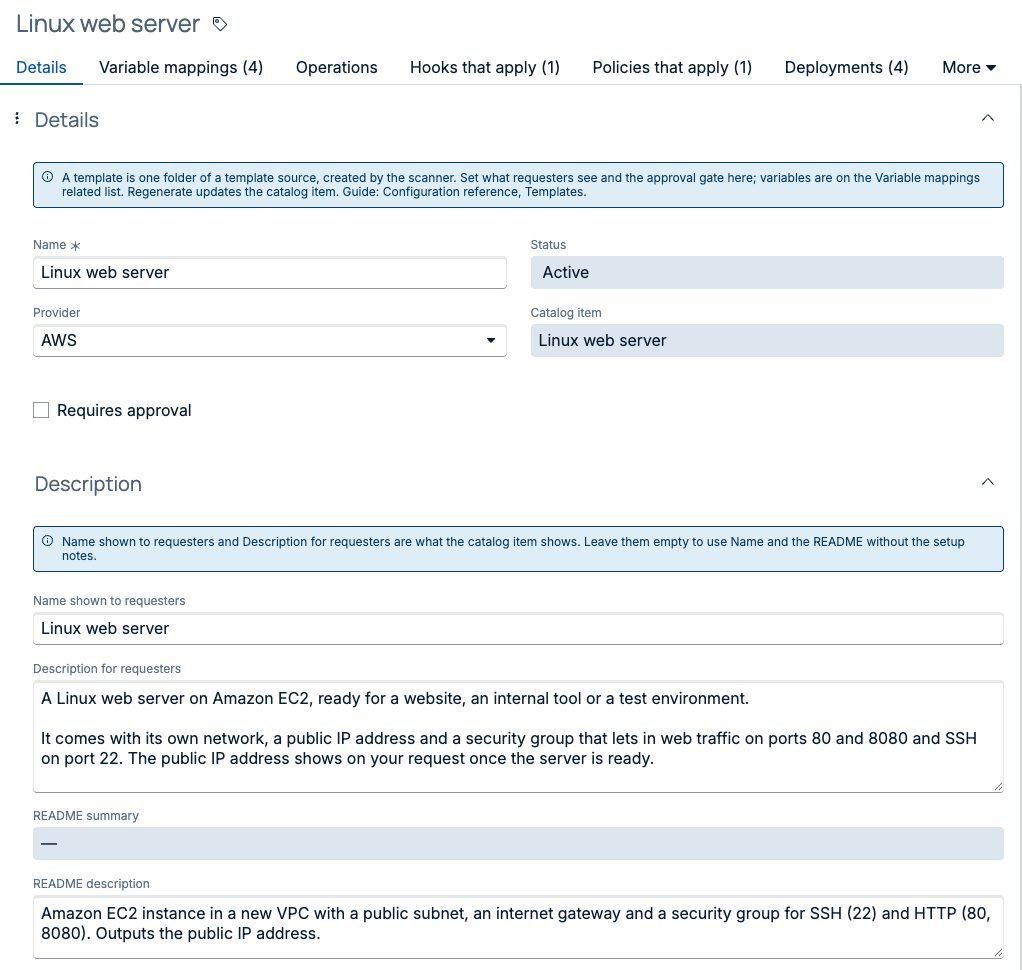
We think this split is right. Engineers own the code and review it like any other code. Process owners own what the catalog says and who approves it. Neither has to wait for the other.
An order form people can actually fill in
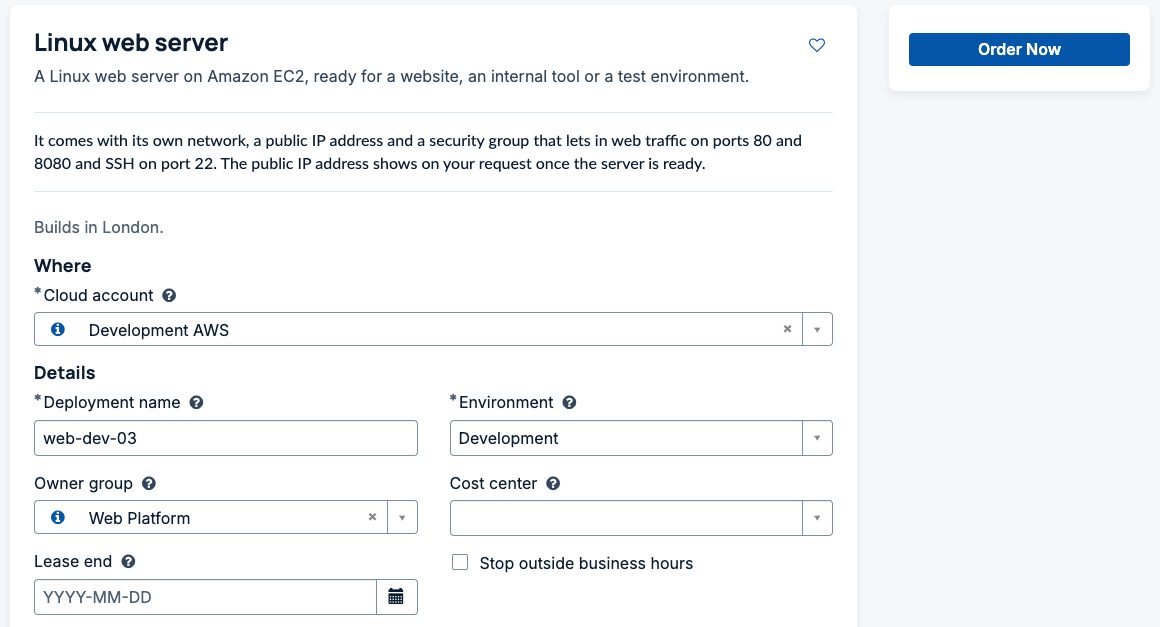
A raw list of Terraform variables makes a poor order form. Nobody outside the platform team knows what subnet_id wants. OneCloud generates the form from the variables, then groups it into sections such as Where, Size, Access and Details, with help text on each field.
Where a template needs something that already exists in the cloud, the form offers a pick list rather than a blank box. Choose a cloud account and a region, and the lists fill with the resource groups, networks and subnets the CMDB knows about there. Pick a network and the subnet list narrows to that network. A requester can also switch a question to “Create a new one”, and the fields that only matter for a new network appear. They don’t need any access to the CMDB for this to work.
The form also shows a cost estimate at list prices while the requester picks a size, worked out from a price book on the instance so nothing calls out to the cloud as they type. There’s more on that in know your cloud cost before you order.
Naming rules, environments, owner groups, lease end dates and “stop outside business hours” are ordinary questions on the same form. A deployment name that breaks the rule is caught under the field, before the order goes anywhere.
What happens after Order Now
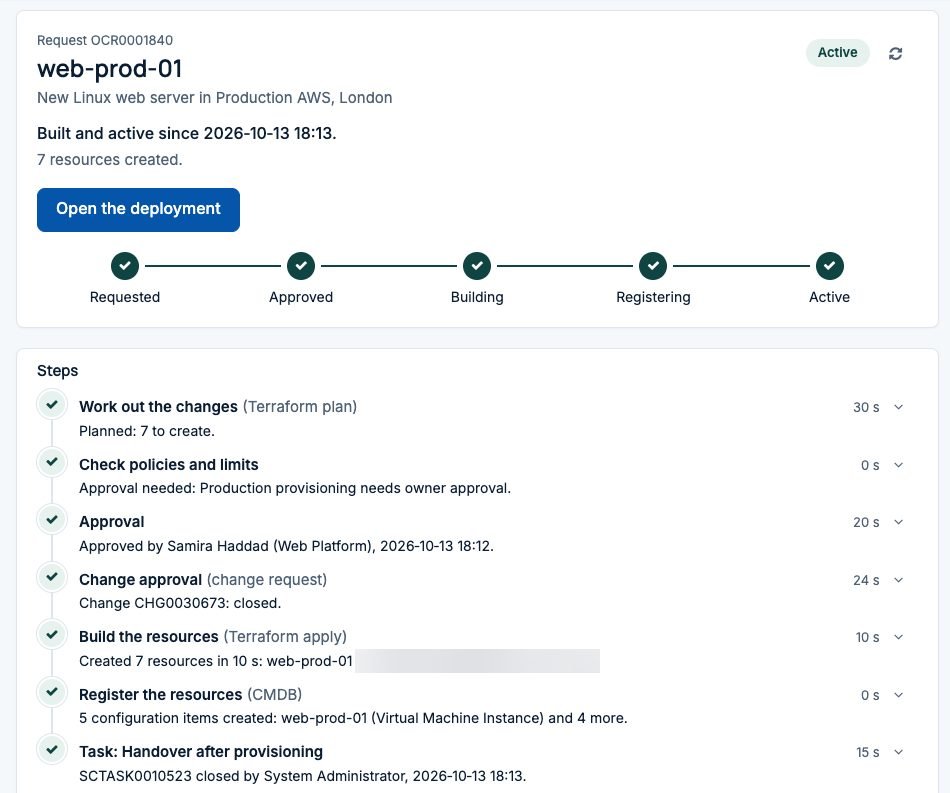
Every order goes through the same steps, whichever cloud it’s for. OneCloud locks the deployment, runs the Terraform plan, checks your policies and limits, asks for approval if your rules want one, raises a change request where needed, applies, writes every resource to the CMDB and hands over to the team that looks after it. A targeted Discovery then confirms what was built.
The requester follows all of this in a tracker written in plain words. “Work out the changes” is the Terraform plan. “Register the resources” is the CMDB update. Each line says what happened and how long it took, and the stages across the top tell anyone at a glance where the request is.
Terraform runs on your own MID Server, inside your network, or in HCP Terraform and Terraform Enterprise if that’s what you use. The resources land in the CMDB through the platform’s Identification and Reconciliation Engine, in the standard classes, related to the region they live in. When the deployment is later removed, its configuration items are retired with it.
Four clouds, and containers too
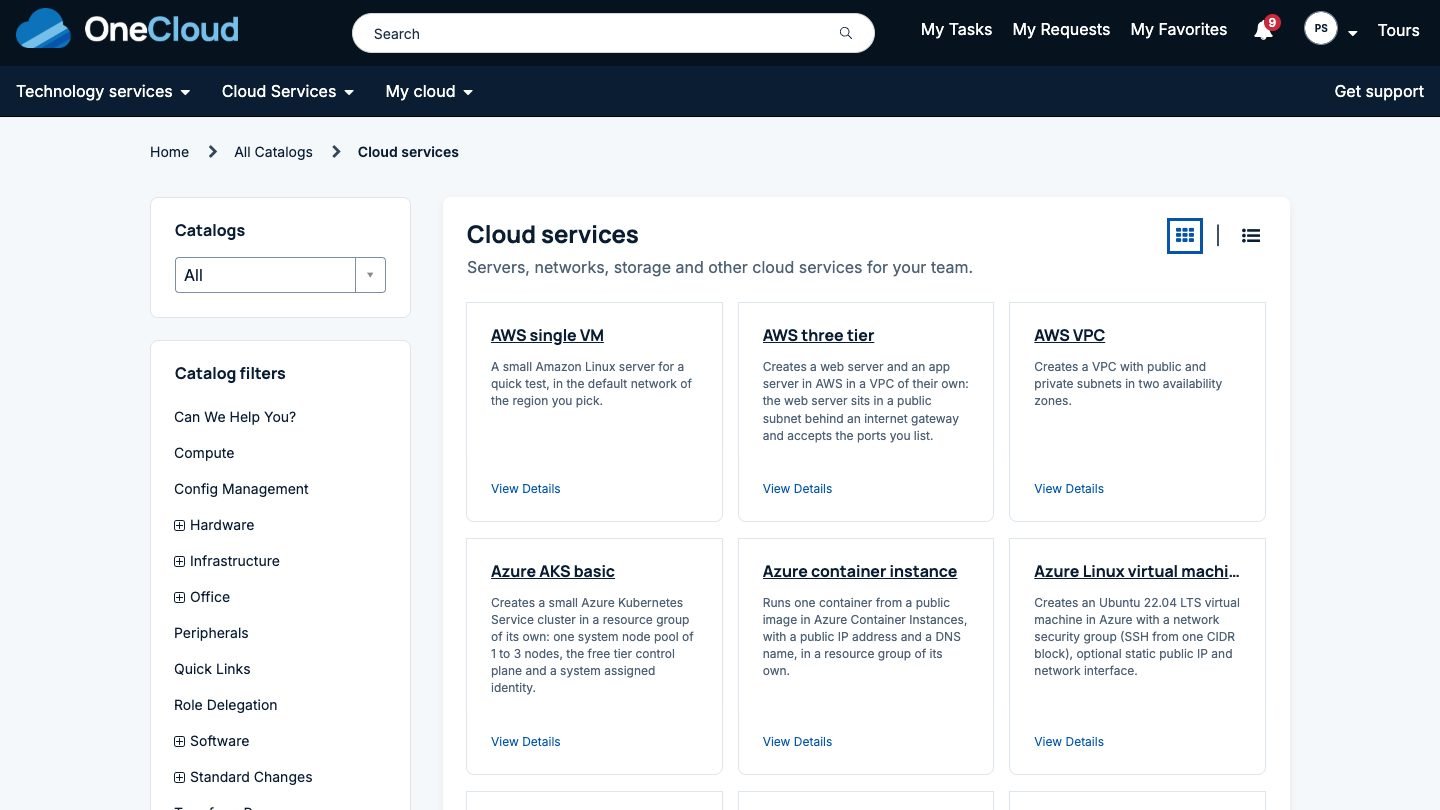
The same path works on Microsoft Azure, AWS, Google Cloud and Oracle Cloud. The catalog in the picture at the top has virtual machines, three tier applications, a VPC and a Kubernetes cluster side by side, and requesters don’t need to know which cloud console each one would have meant.
Containers are covered as well. Templates for AKS, EKS, GKE and OKE clusters become catalog items like any other, and so do Amazon ECS and Azure Container Instances. A cluster gets the actions that suit it, such as scaling the node pool or upgrading Kubernetes, instead of the server actions.
Changing a template without breaking anyone
Templates change. Someone wants zone redundant storage by default, or a newer image. In OneCloud a designer can propose a new default for a variable, give the reason, and click Open pull request. OneCloud edits the file in Git, checks it still parses, and opens a pull request on GitHub or Azure DevOps.
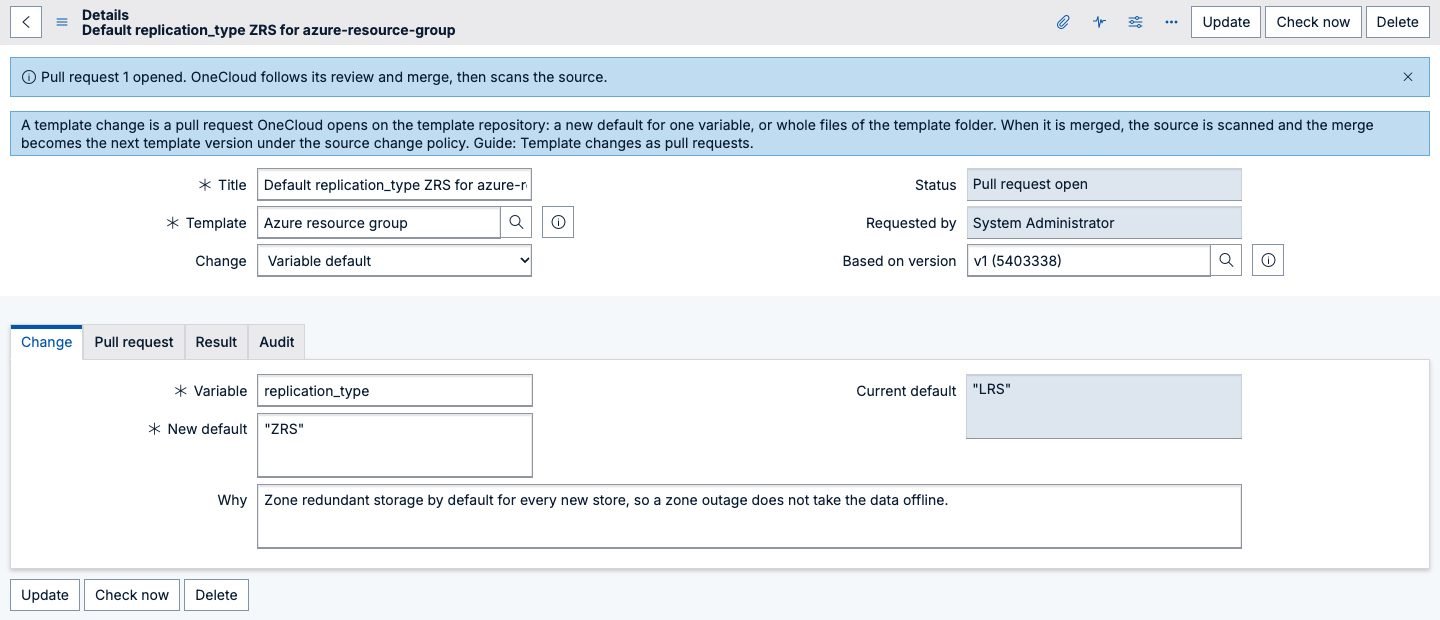
Your team reviews and merges it like any code change. OneCloud follows the review, scans the source after the merge, and the merge becomes the next template version. New orders use it straight away. Existing deployments keep their settings until someone runs Update, which plans the move to the new version and goes through the same approvals as any change.
Day 2 lives on the same record
A deployment isn’t finished once it’s built. On its page in Employee Center the requester and the owner group see the actions that fit it: start, stop, restart, resize, add or expand a disk, open or close a port, set a schedule, extend the lease, check for changes made outside OneCloud, update to a newer template version, or remove it. Each action opens a short form that says what will happen and whether someone needs to approve it. The rules for approvals, change and policy are the same ones the order went through, which we cover in governance without slowing people down.
Where to go from here
If you have Terraform in a repository and ServiceNow in front of your people, you’re most of the way there. The setup assistant takes you from install to a first order, and the product page lists the clouds and tools OneCloud works with. Teams coming from Cloud Provisioning and Governance can bring their templates across, as described in our CPG article. Managed service providers should also read OneCloud for MSPs.
Want to see one of your own templates as a catalog item? Talk to us or email info@intelibliss.com, and we’ll run it in a short demo.
