



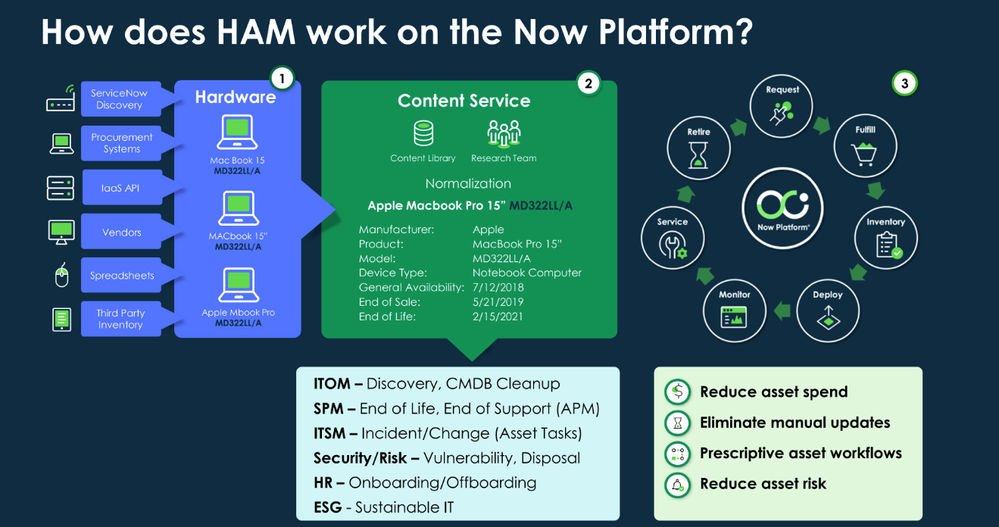
Hardware data lands in the CMDB from many directions: ServiceNow Discovery, SCCM, procurement feeds, manual imports. That gives you coverage, but it also gives you duplicate hardware models. The same laptop shows up as three different things:
- From SCCM: MacBook Pro 15”
- From Discovery: MacBook Pro 15” MR962LL/A
- From a manual import: MacBook Pro 15 MR962LL
Each one becomes a separate record in the Hardware Model table. Reports count three models where there’s one, and nobody is quite sure which record to trust. Hardware Model Normalisation exists to fix exactly this.
What normalisation does
Hardware Model Normalisation standardises hardware model data in the CMDB. It keeps manufacturer, product, model and device type in a consistent format regardless of where the record came from. When it’s enabled, the platform compares your hardware model data against the ServiceNow Hardware Model Normalisation Content Service. The service recognises variations of the same model and links them all to one normalised model name.
In the MacBook example, all three variants end up pointing at a single normalised model in the Hardware Model Library. The CMDB stays clean and reports count assets correctly.
How it works in ServiceNow
Plugin activation
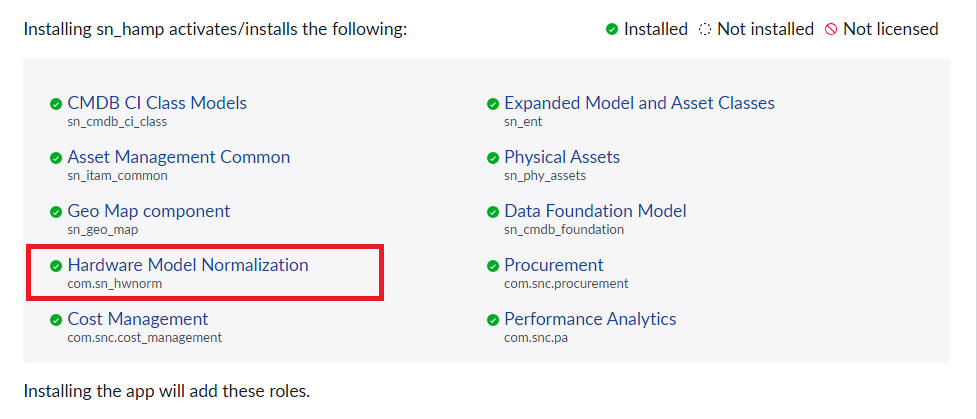
Hardware Model Normalisation (com.sn_hwnorm) is activated automatically when you install the Hardware Asset Management plugin (sn_hamp). There’s nothing separate to buy or switch on.
The scheduled normalisation job
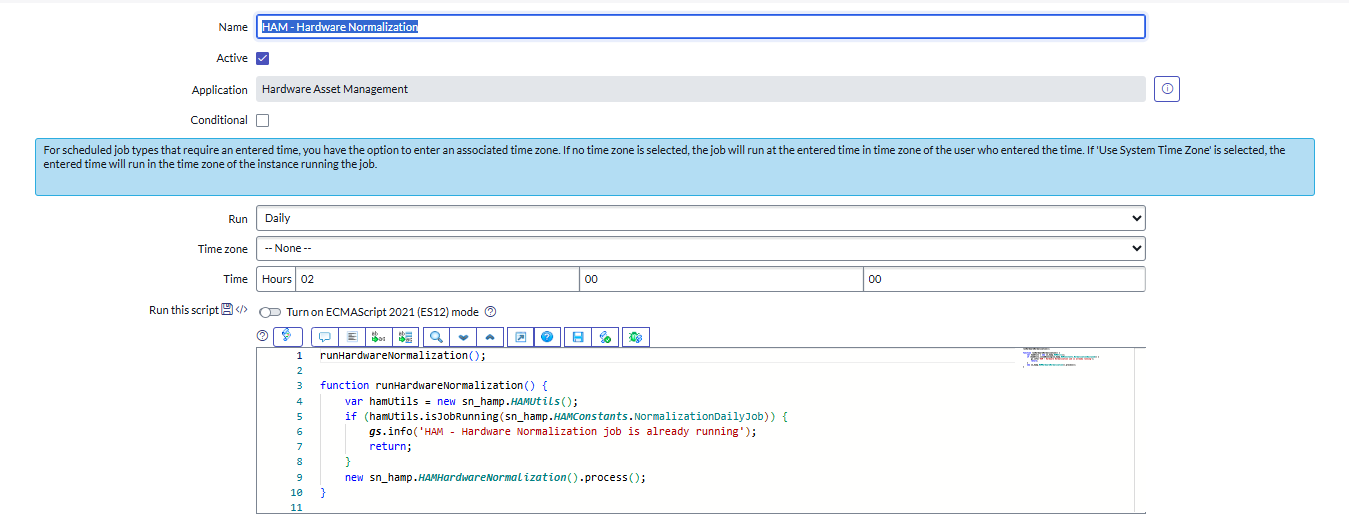
A scheduled job called “HAM - Hardware Normalization” runs daily. It doesn’t change or delete the original data. Instead it populates a set of normalised fields on the Hardware Model table:
- Normalized Product
- Normalized Manufacturer
- Normalized Model
- Normalized Device Type
Normalisation status
Each model record carries a status so you can see how the job treated it:
- New
- Normalized
- Manually Normalized
- Partially Normalized
- Manufacturer Normalized
- Match Not Found
Filtering on “Match Not Found” is the quickest way to find the models that need a human to look at them.
Reverting normalisation
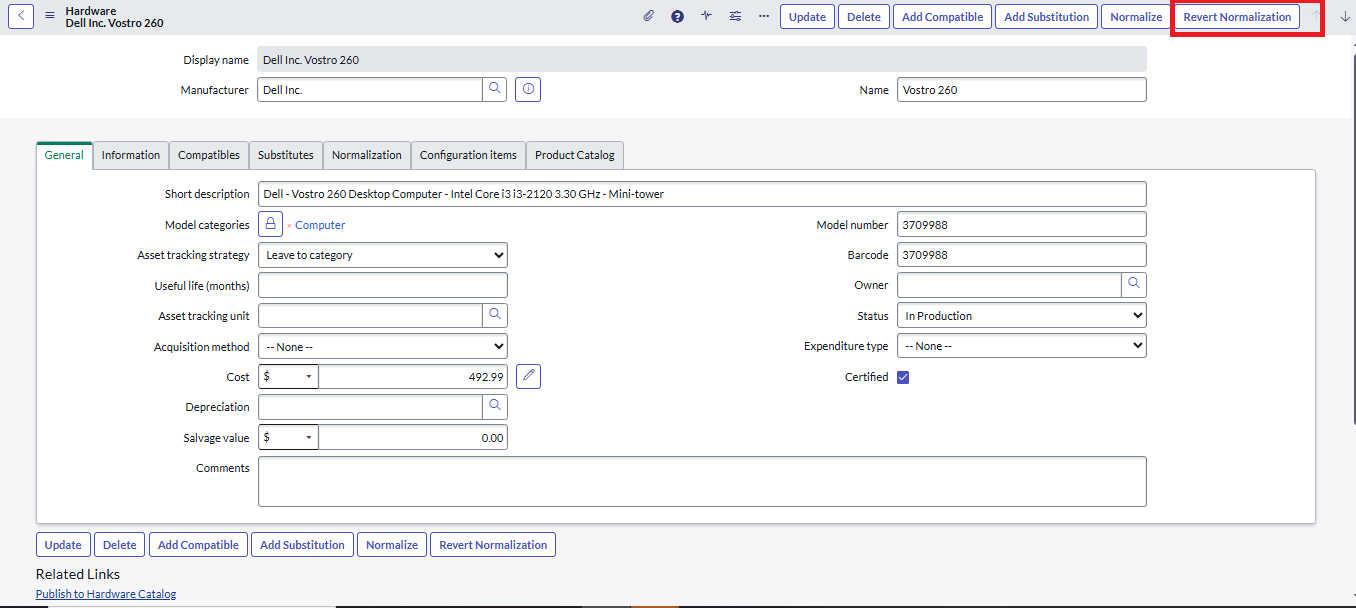
If a match is wrong you can undo it. The “Revert Normalization” UI action on a normalised Hardware Model record resets the model to its original state. Once reverted, the normalisation status for that model changes to Match Not Found.
A typical scenario
This isn’t a rare edge case. One organisation we worked with had four naming variations of the HP EliteBook 645 G10 arriving through Discovery and other sources. Without normalisation each variant appeared as a separate model, which fragmented the data and made it hard to say how many of that laptop they actually owned. With normalisation switched on, all four were consolidated into one normalised model record, and reporting and asset tracking became straightforward.
Why it matters
- Consistency. Duplicate entries are tied to one standard model.
- Reporting. Reports show the correct number of assets and the correct details.
- Less friction. Fewer duplicates means IT and asset teams aren’t second guessing which record is right.
- A base for ITAM and HAM. Lifecycle tracking, end of life planning and compliance all depend on models being standardised first.
Other things worth knowing
- Opt in to the Content Service. You can share anonymised hardware and consumable model data with ServiceNow, which improves the global content library over time.
- Import and export. On-premise instances can manage the hardware library by importing or exporting it as a zip file.
- Custom models. If a model isn’t in the Content Service you can create your own product or model and still use normalisation against it.
- Reports. The out of the box “Hardware Normalization Dashboard” shows how much of your hardware data is normalised, which is useful for tracking progress on a cleanup.
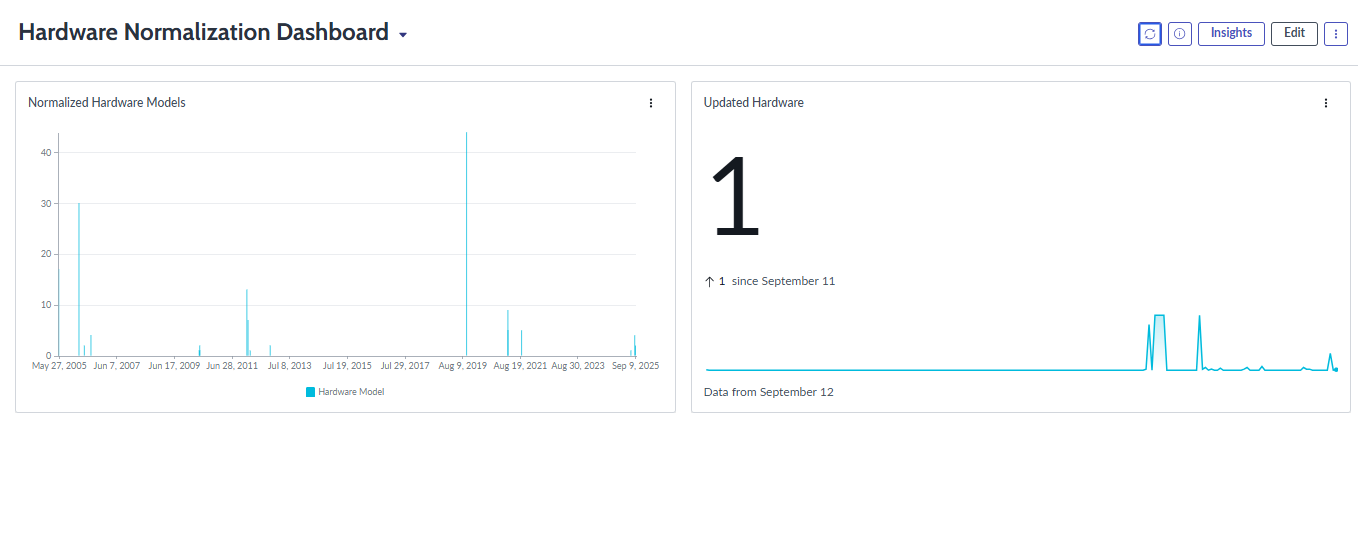
Normalisation looks like a small technical detail. In practice it removes one of the most persistent sources of bad CMDB data, and it’s one of the first things we check when an asset management programme isn’t producing numbers anyone trusts.
