



Managing employee documents by hand is slow and risky. Scanning, faxing, shared drives and paper files all make it hard to find a contract quickly and easy to lose track of who has seen it. Employee Document Management (EDM) in ServiceNow HRSD puts those documents in one place, with defined types, retention rules and access controls, and ties them to the HR Profile and the cases that produced them.
Where EDM sits in HRSD
HRSD is made up of several components that work together:
- HR Case Management, for resolving employee requests and tracking them to closure.
- Knowledge Management, giving employees and HR staff a shared knowledge base.
- Employee Journey Management, which automates milestones such as onboarding, offboarding and promotions.
- HR Integration, connecting HRSD to payroll, HCM and other systems.
- Employee Document Management, the subject of this post.
- Employee Center, the portal where employees access services and track cases.
- Now Intelligence, covering Otto (formerly Now Assist), Virtual Agent, Predictive Intelligence and Performance Analytics.

What EDM is
EDM is the part of HRSD that stores, categorises and controls employee documents such as contracts, performance reviews and payroll records. This write up is based on the Washington DC release.
To use it you need:
- The plugin com.sn_employee_document_management installed.
- The admin role to configure it. Configuration access isn’t granted to HR agents.
Once it’s active, documents are stored against the employee’s HR Profile, categorised by type, and governed by retention and security policies.
The building blocks
Document types
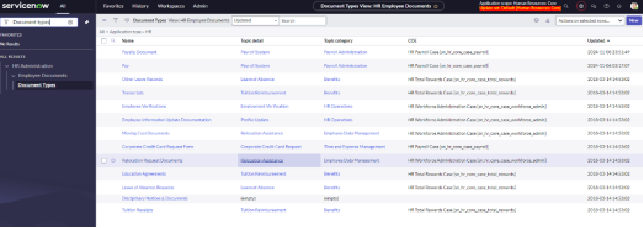
Table: sn_hr_ef_document_type. Document types organise documents into categories (employment contract, performance review, payroll document, transcript and so on). Each type carries a topic and a COE, which is how the type links back to the cases that generate it.
Retention periods
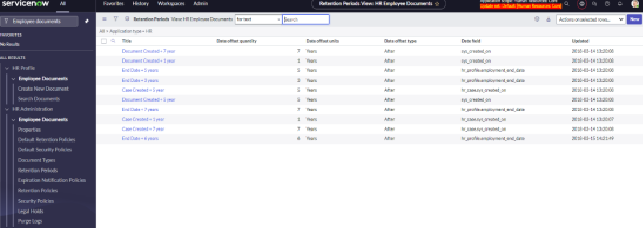
Table: sn_hr_ef_retention_period. A retention period defines how long a document is kept, measured as an offset from a trigger date such as document created, case created or employment end date. Typical examples are “Document created + 7 years” or “End date + 5 years”.
Retention policies
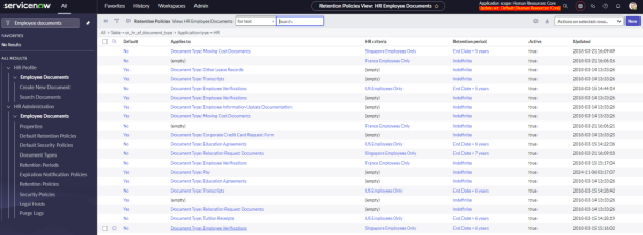
Table: sn_hr_ef_retention_policy. A retention policy joins a document type (and optionally HR criteria such as a country or employee group) to a retention period. This is what decides, for a given document, when it becomes eligible for purge.
Security policies
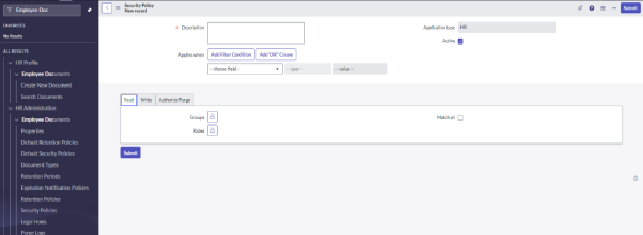
Table: sn_hr_ef_security_policy. Security policies set who can read, write or authorise purge of documents. Each policy applies to a set of documents (by field conditions) and grants the permissions to groups and roles.
Legal holds
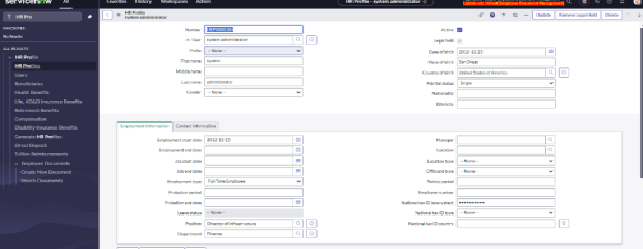
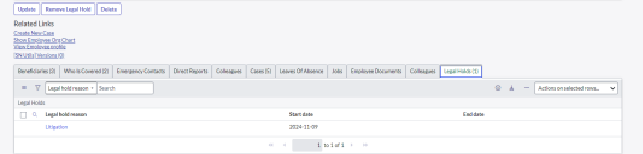
Table: sn_hr_ef_legal_hold. A legal hold stops documents for an employee being purged while litigation or an investigation is in progress. The hold is placed on the HR Profile (there’s an “Add Legal Hold” button on the profile form) and shows in the Legal Holds related list with a reason and start date.
Why it’s worth switching on
- Employees can find their own documents in Employee Center, which removes a steady stream of “can you send me a copy of” requests.
- HR records live in one system with one set of access rules rather than across mailboxes and file shares.
- Role based access makes it easy to say exactly who can view, create or delete a sensitive document, and to prove it.
- Documents generated during a case (an offer letter, a signed policy acknowledgement) move automatically from the case to the employee’s document file. Nobody has to upload them a second time.
- Retention policies and legal holds run on their own once configured, so compliance stops depending on someone remembering to clean up.
Roles
- Administrators configure EDM: document types, retention periods and policies, security policies, and the groups and roles that get access.
- Agents upload and manage documents inside the HR case workflow, within whatever the security policies allow.
- Employees upload their own personal documents, for example tax forms, and view their document file through self-service.
If you’re already running HR cases in ServiceNow and documents are still being emailed around, EDM is a contained piece of configuration that closes that gap. Most of the effort is in agreeing document types and retention periods with HR and legal, not in the platform work.
