



Client scripts run in the browser and shape how a form behaves. GlideAjax is how a client script gets data from the server without reloading the page. Between them they cover most of the interactive behaviour you’ll build on ServiceNow forms, and most of the performance problems too, so it’s worth being clear about what each one is for.
Client scripts
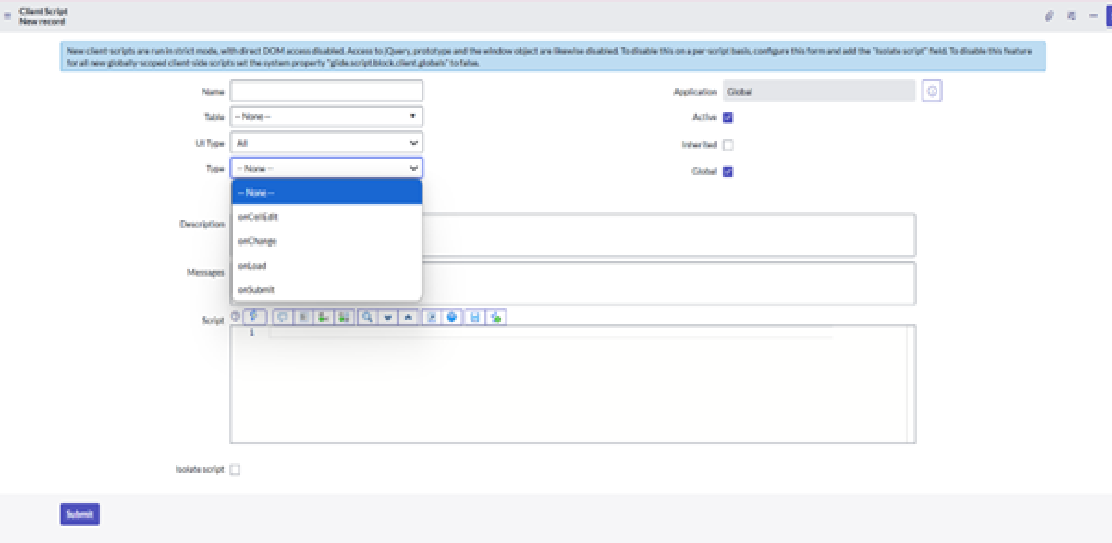
A client script is JavaScript that runs in the user’s browser rather than on the server. It’s used to show information, warning or error messages, set field values, and control visibility, mandatory and read-only state on a form. Each client script is attached to a table.
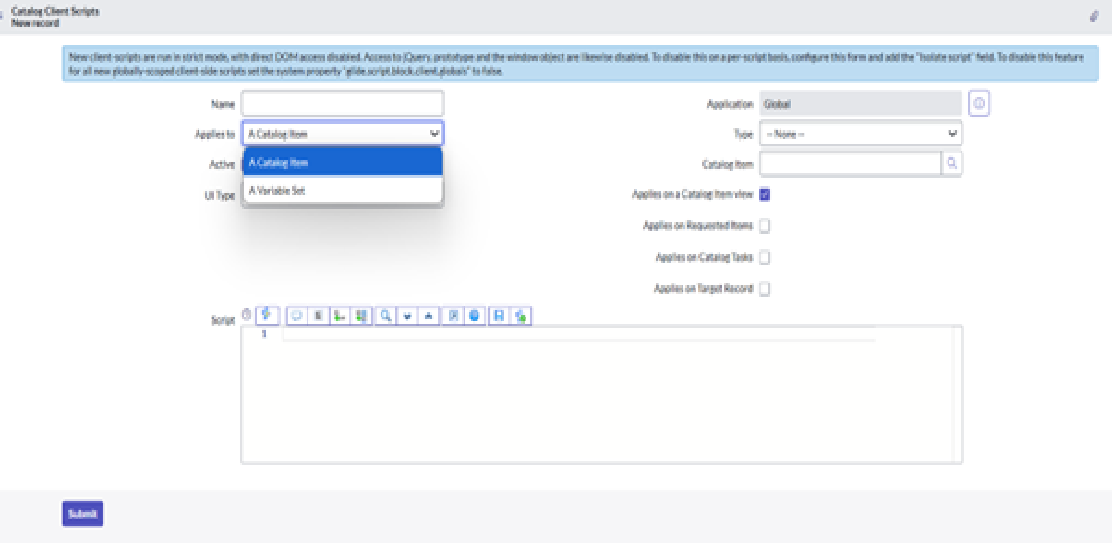
Catalog client scripts are a separate class used on record producers and catalog items. The form is almost the same. The difference is that you attach the script to a catalog item or variable set instead of a table.
There are four types:
- onLoad runs when the form loads. Use it to set up the form before the user starts interacting: hide fields, set defaults, show a message.
- onChange runs when a specific field changes. Useful when a new value should trigger something, such as revealing further fields or showing an info message.
- onSubmit runs when the form is submitted. This is where validation lives. Return false to stop the submission if the data isn’t right.
- onCellEdit runs on list edit, when a user changes a field directly in a list.
Getting server data from a client script
Client scripts can’t query the database directly. If you need something from the server, you have two options: g_form.getReference() or GlideAjax.
getReference
g_form.getReference() fetches the record behind a reference field on the current form. It’s the right choice when you need a single value from a related record.
The synchronous form is simple but it blocks the browser while the request completes, so avoid it:
// Synchronous call. Avoid: it blocks the browser until the server responds.
var caller = g_form.getReference('caller_id');
alert('Caller name: ' + caller.name);
Use the asynchronous form with a callback instead:
g_form.getReference('caller_id', function(caller) {
    if (caller) {
        alert('Caller name: ' + caller.name);
    }
});
Two things to keep in mind. Always pass a callback so the browser isn’t blocked, and remember that getReference returns the whole record, so don’t use it in a loop or on a form that loads constantly.
GlideAjax
GlideAjax is the client-side object that calls a script include on the server. It’s asynchronous, it only returns what you ask for, and the logic stays on the server where it belongs. Use it when you need calculated data, data from several records, or anything you don’t want exposed in browser code.
Two pieces are needed.
First, a script include that extends AbstractAjaxProcessor. The “Client callable” checkbox must be ticked, because without it the script include can’t be reached from the browser.
var MyUtils = Class.create();
MyUtils.prototype = Object.extendsObject(AbstractAjaxProcessor, {

    getFullName: function() {
        var sysId = this.getParameter('sysparm_sys_id');
        var user = new GlideRecord('sys_user');
        if (user.get(sysId)) {
            return user.getDisplayValue();
        }
        return '';
    },

    type: 'MyUtils'
});
Second, a client script that calls it. This onChange example looks up the display name of whoever was just assigned:
function onChange(control, oldValue, newValue, isLoading) {
    if (isLoading || newValue == '') {
        return;
    }
    var ga = new GlideAjax('MyUtils');
    ga.addParam('sysparm_name', 'getFullName');
    ga.addParam('sysparm_sys_id', newValue);
    ga.getXMLAnswer(function(response) {
        alert('The full name of the assigned user is ' + response);
    });
}
sysparm_name is the method to call. Any other parameters you add are read on the server with this.getParameter().
A few habits that make GlideAjax code easier to live with:
- Name the script include and its methods for what they do. “MyUtils.getFullName” is fine, “Helper.doStuff” is not.
- Prefix every parameter with sysparm_. The platform expects it and it keeps the contract obvious.
- Wrap server logic in try/catch and log failures with gs.error() so a broken lookup is visible in the logs rather than silently returning nothing.
- Return the minimum. If the client needs one string, return one string, not a JSON dump of the record.
Which one to use
Use a plain client script for immediate, user-facing logic that needs no server data: field visibility, simple validation, messages.
Use getReference when you need one or two fields from the record behind a reference field, and always with a callback.
Use GlideAjax when you need data from elsewhere, need to calculate something, or want the logic to stay server-side for security or performance. It’s also the better choice when the same lookup is needed from several forms, because the script include is reusable.
Keep the browser work light and push anything heavier to the server, and forms stay quick even as the customisations pile up.
